


Amazon PPC automation tools apply rules to your campaigns so bids, budgets, and negative keywords change without you touching them daily. Free plans and trials cover the basics: rule-based bid adjustments, search-term harvesting, and wasted-spend alerts. What they rarely include is portfolio-level optimization or dayparting, which is where paid tiers and managed service begin.
We run each of these on live ad accounts. I audit rule sets monthly, and I’ve inherited accounts where nobody had looked in a year. It is never pretty. Our Amazon PPC audit checklist covers the ten checks I run on those.
What Amazon PPC automation tools actually do
Amazon PPC automation software watches your campaign data and acts on rules: raise a bid when a term converts, cut it when spend outruns sales, add a negative when a search term wastes money. Some platforms dress this up as machine learning. Underneath, it is still rules plus data.
They come in two shapes:
- Full automation takes the wheel: bids, keyword harvesting, sometimes campaign structure. Fast, and risky if nobody reviews it.
- Semi-automation suggests, you approve. Slower, and far harder to break.
I recommend semi-automation for anyone with less than a few thousand dollars of monthly spend. Automation is only as good as the rules behind it, and unattended rules drain budgets quietly. That is the failure mode I see most often.
The free Amazon PPC automation software already in your account
Before any third-party tool, Amazon’s own advertising console automates several things at no cost. This is the honest first answer to “free PPC software”, and it is the one most articles skip because there is nothing to recommend.
- Dynamic bids, down only. Amazon lowers your bid when a conversion looks unlikely. Conservative, hard to get wrong, and the setting I’d start every account on.
- Dynamic bids, up and down. Raises bids up to a ceiling when conversion looks likely. Suits mature listings with steady conversion and punishes new ones.
- Rule-based bidding. Set a performance target and let Amazon adjust toward it.
- Budget rules. Raise budgets on a schedule or against a performance condition.
- Automatic targeting campaigns. Amazon chooses the search terms, which is a discovery mechanism rather than a delivery one.
None of that costs anything, and between them they cover a meaningful share of what paid automation software sells. I’d exhaust these before paying for anything, because a tool layered on top of settings nobody has configured is automating a mess rather than fixing it.
Whether to automate at all, and what Amazon’s machine learning genuinely does underneath, is a separate question covered in our guide to AI-powered Amazon advertising. This page is about which software to use once you have decided.
The five best free Amazon PPC automation tools
We judge these on their reports, not their automation. A tool that shows you where the money leaked is worth more than one that silently reshuffles bids.
1. SellerApp: free plan with basic features
SellerApp bundles PPC management with product research and listing tools. The free plan gives limited keyword research and bid suggestions.
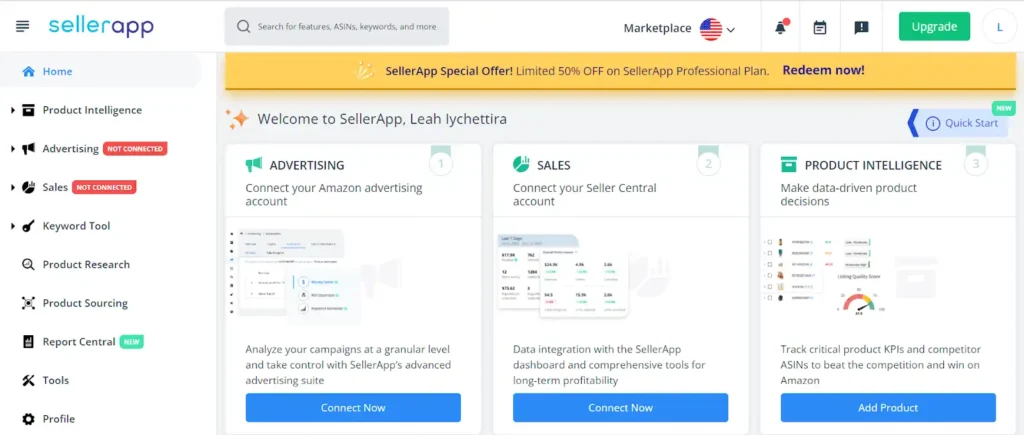
Solid free tier, and where I’d start. The dashboard is readable, which matters more than it sounds when you check it weekly. Advanced bid strategies sit behind the paid plans, as you’d expect.
2. Helium 10: free plan with basic PPC features
Helium 10 is the best known all-in-one suite. Its free plan covers campaign monitoring and basic keyword tracking.
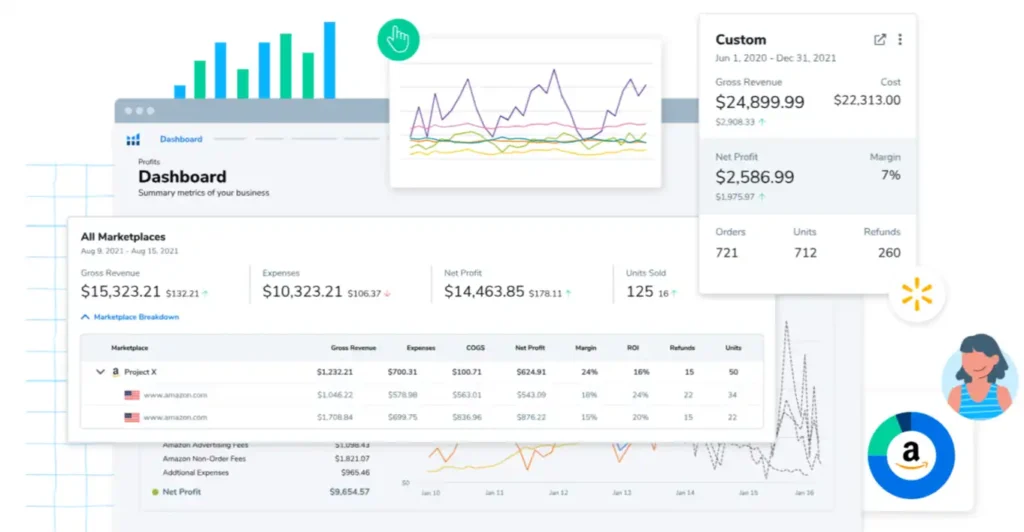
The free tier suits sellers who want to see performance and adjust manually. AI bid suggestions and competitor analysis are paid features. Honestly, the reports matter more than the automation here, and the reports are good.
3. Ad Badger: 14-day free trial
Ad Badger is PPC-only, built specifically for Amazon rather than bolted onto a research suite.
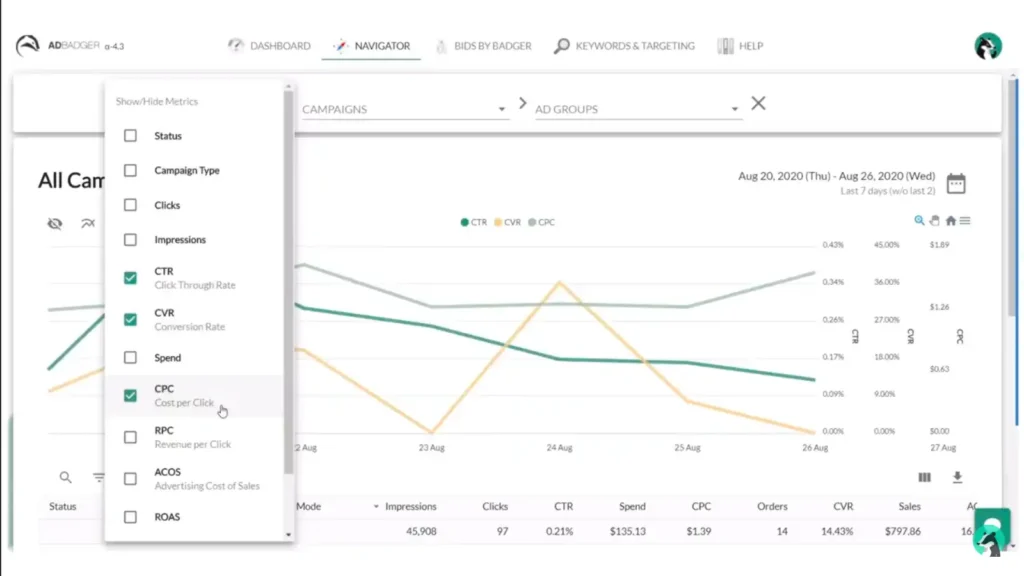
The trial opens bid optimization, keyword harvesting, and its Campaign Automator. No permanent free plan, so treat it as a two-week audit of your own account rather than a long-term tool. I’ve killed more wasted spend with a trial like this than I’ve added with any paid subscription.
4. Viral Launch: free plan for launches
Viral Launch leans toward product launches, with PPC features alongside.
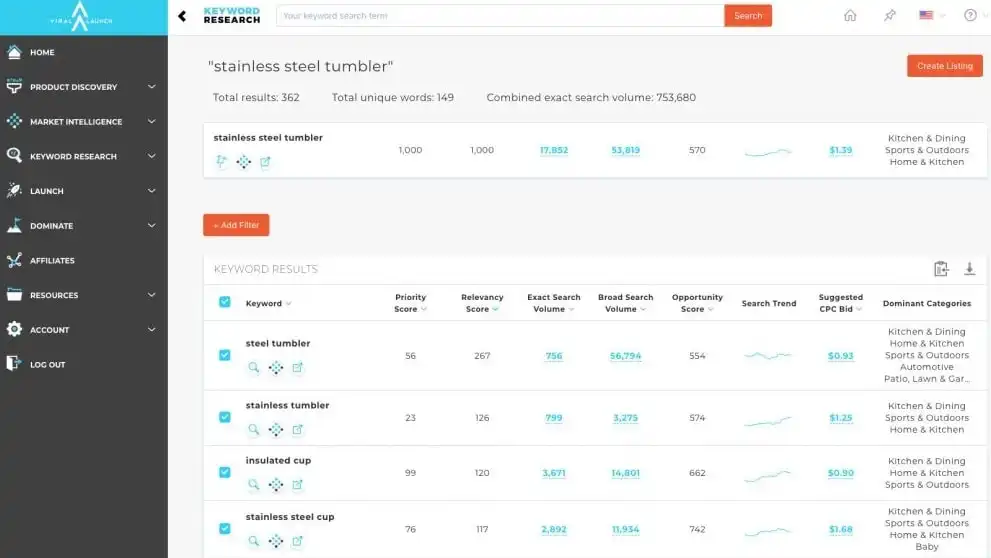
Free access covers keyword research and basic campaign automation. Market insights and competitor data need a paid plan. Best fit if you are launching and want research and ads in one place.
5. AMZ Tracker: free plan with PPC insights
More analytics than automation, which is not a criticism.
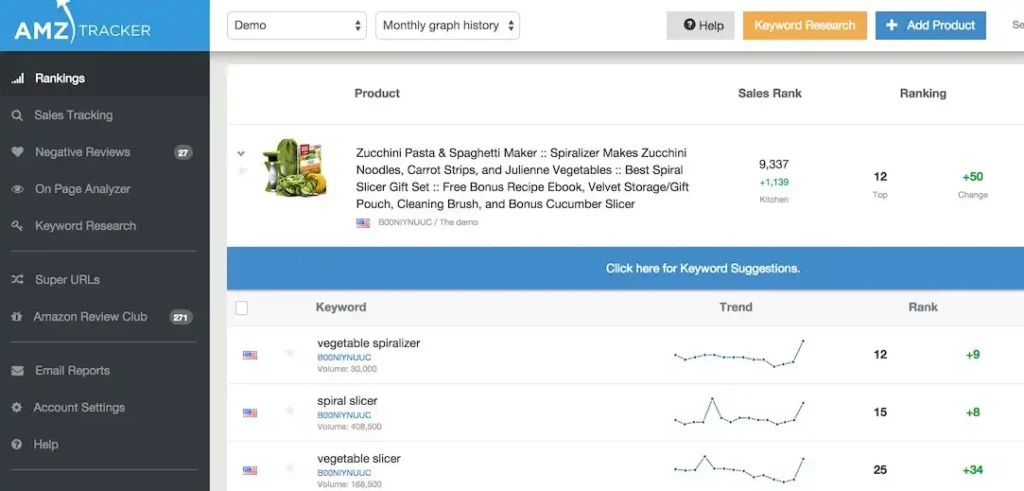
The free plan tracks keywords and surfaces campaign insights. If you want to understand your account before automating it, this is a reasonable first stop.
Automation, management and optimization software are not the same thing
People search all three phrasings and they describe genuinely different products, which is worth separating before you shop.
| What it does | Who it suits | Typical cost | |
|---|---|---|---|
| PPC automation software | Applies rules you write. Bid changes, negatives, budget shifts | Sellers who know what they want done and lack time to do it | Free tiers upward |
| PPC management software | Full platform: structure, reporting, portfolio-level control, some strategy | Larger catalogs where campaign count makes manual work impractical | Monthly subscription, often a percentage of spend |
| PPC optimization tools | Point solutions. A bid optimizer, a keyword harvester, a dayparting scheduler | Sellers with one specific bottleneck | Cheapest, narrowest |
The distinction that matters: automation executes your decisions, management makes some of them for you. A seller who does not yet know what good looks like buys management software and gets an expensive black box. I’d learn the account manually first, then automate the parts that are repetitive, and only then consider handing over judgment.
Is there free Amazon PPC automation software?
Directly, since it is the most specific thing people search here: partially. Amazon’s native bidding and budget rules are free and always available. Third-party free tiers exist, and every one of them is a limited version of a paid product, capping the number of campaigns, the frequency of rule execution, or the reporting depth.
What does not exist is a free platform that manages an account properly. The economics do not allow it, because these tools carry real infrastructure cost per connected account. Anything advertising itself that way is a trial with a longer fuse.
What PPC automation does badly
Worth naming, because the marketing does not.
It cannot fix a listing that does not convert. Automation optimizes the traffic you buy. If your conversion rate sits well below the category, better bidding buys that poor conversion more efficiently and you lose money more slowly. Conversion is the dominant input to ranking generally, as our guide to Amazon product ranking factors sets out.
It reacts to thin data confidently. A rule acting on four clicks is acting on noise. The better platforms enforce minimum thresholds; the cheaper ones let you write a rule that fires on anything.
It compounds its own mistakes. A bad rule left running for a month does a month of damage, and nobody notices because the point of automation was not having to look.
It cannot read a search term report and think. Harvesting converting terms into exact-match campaigns and negating the waste is still the highest-return work in most accounts, and it is judgment rather than rule execution. The workflow is in our guide to the Amazon search term report.
A safe four-week sequence for adding automation
Automation earns trust in stages. This is the order we use on client accounts:
- Week one: reporting only. Connect the platform and change nothing. You are learning what the rules would have touched.
- Week two: negatives only. Approve suggested negative keywords by hand. Safest win available, and usually the biggest.
- Week three: bid rules on one campaign. Pick something low-stakes, set conservative floors and ceilings, check it daily.
- Week four: review, then widen. If the rules behaved, extend them. If not, you lost one campaign’s budget rather than the account.
What we never automate: launch budgets, defensive bids on your own brand terms, and anything during Prime Day or Q4. Those need a person who knows what the quarter is supposed to look like.
Free versus paid: when to upgrade
Free plans cap you at basic rules and shallow reporting. The features that actually justify money are dayparting, portfolio-level budget rules, and proper search-term analysis across a whole catalog.
My rule of thumb: upgrade when one percentage point of ACoS is worth more than the subscription. Below a few thousand dollars of monthly spend, free tools plus a disciplined weekly review beat paying for software you check twice a month.
If the account has outgrown rules entirely, our Amazon advertising management team runs campaign structure, bidding, and dayparting as a service, and we are a verified Amazon Ads partner.
FAQ
Is there free Amazon PPC automation software?
Partially. Amazon’s own console includes dynamic bidding, rule-based bidding, budget rules and automatic targeting at no cost, and those cover a meaningful share of what paid automation sells. Third-party free tiers are limited versions of paid products, capping campaigns, rule frequency or reporting depth.
What is the difference between PPC automation and PPC management software?
Automation executes decisions you have already made, applying rules you write to bids, budgets and negatives. Management software is a full platform that makes some of those decisions for you, including structure and portfolio-level control. Automation suits sellers who know what they want done; management suits large catalogs where manual work is impractical.
What is the best Amazon PPC automation tool?
For most sellers, Amazon’s native bidding and budget rules first, because they are free and already connected. Beyond that the answer depends on scale rather than features: below roughly ten orders a day a tool adds overhead without enough data to learn from, and above that the main paid platforms are more alike than their marketing suggests.
Are free Amazon PPC tools safe to connect to my account?
Yes, when they authorize through Amazon’s official Advertising API, which reputable tools do. Never hand over your Seller Central password directly to any third party.
What can free PPC automation actually do?
Rule-based bid changes, search-term reports with harvesting suggestions, negative keyword recommendations, and basic dashboards. Enough to stop the obvious waste, which for most small accounts is where the money is.
When should I move from free tools to managed PPC?
When ad spend is large enough that small efficiency gains outweigh a subscription or a retainer, usually past a few thousand dollars monthly. Below that, the returns come from better listings, not better bidding.
Does automation replace manual PPC work?
No. Automation handles frequency. People handle judgment: which products to push, when to defend a keyword, how much market share is worth buying during a launch.
Which free tool should I pick first?
SellerApp or Helium 10 if you want a suite you might grow into, Ad Badger’s trial if you want a focused two-week audit of an account you suspect is leaking money.
Last updated: August 24, 2026. Free plan limits change often, so confirm current terms with each provider.







