


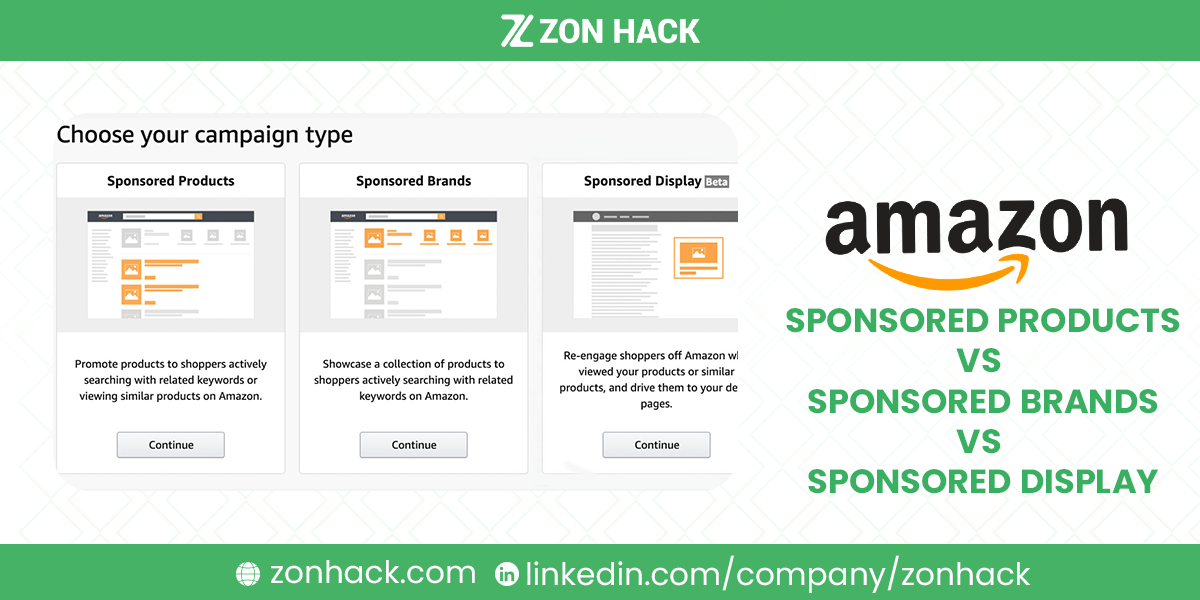
Amazon runs three main ad formats, and each is defined by a different job. Sponsored Products are cost-per-click product ads placed in search results and on product pages, and they convert best of the three. Sponsored Brands is a banner format at the top of search carrying your logo, a headline, and a product carousel or video, built for recognition. Sponsored Display is an audience-based format that retargets shoppers across Amazon and third-party sites.
If you run only one, run Sponsored Products. That is not a hedge. It is the answer for most accounts, and the other two earn their place only once the first is already profitable.
Quick orientation before the detail:
- Sponsored Products: no Brand Registry needed, highest conversion, deepest targeting
- Sponsored Brands: Brand Registry required, best for awareness and brand traffic
- Sponsored Display: Brand Registry required, best for retargeting and defensive coverage
A naming update. On September 29, 2026 Amazon renamed its ad console Amazon Ads Agent, and Sponsored Display is now called display ads, part of its Display, Video and Audio campaigns. Existing Sponsored Display campaigns keep running. We use the old name below because it’s still how most sellers search for it.
We manage advertising for client accounts as a verified Amazon Ads partner. These formats suit different jobs, and in our experience sequencing them wrongly wastes more budget than bidding badly does. Below is what each genuinely does, plus my honest view on order.
What is Amazon PPC (pay-per-click) marketing?
Amazon PPC means sponsored ads you pay for per click. Amazon’s own description is simple: you set the most you’ll pay for a click, you’re charged only when a shopper clicks, and “you’ll never be charged more than your bid amount”. Pricing is auction-based, and Amazon says the final cost per click depends on your bid plus other factors, not the bid alone. There are no monthly or upfront fees, and Amazon recommends a minimum daily budget of $10 in the US.
The ads appear at the top of, alongside and within Amazon’s search results and on product pages, and Sponsored Products can also run off Amazon on other sites.
How it differs from search engine marketing. Amazon’s own guide describes search engine marketing as pay-per-click advertising to appear higher in search engine results, which is the same pricing model. The difference, in our view, is where the click lands. A Google ad sends someone to a website that still has to sell; an Amazon ad sends a shopper straight to a product page with a price, reviews and a buy button, inside a store they visited to shop. That’s why Amazon PPC is judged on sales and ACoS, not just clicks.
How to set up a Sponsored Products account
There’s no separate account to open. Amazon’s requirements for sellers:
- An active Professional seller account (Individual accounts can’t advertise)
- The ability to ship to all addresses in the marketplace you advertise in
- New products in eligible categories; adult, used, refurbished and closed-category products are excluded
- Products that are in stock and eligible for the Featured Offer (what Amazon used to call the Buy Box); without it, your ad won’t show
Then go to the Advertising menu in Seller Central (now Amazon Ads Agent) and choose Create campaign. Vendors, authors and agencies register at advertising.amazon.com instead. Sponsored Brands needs Brand Registry for sellers, and Amazon ties display ads to Brand Registry for sellers too.
In practice, I’d check Featured Offer eligibility on your top ASINs before building a single campaign. Amazon suggests aiming to win it 90% of the time or more, and an ad that can’t serve is wasted setup.
Side by side
| Sponsored Products | Sponsored Brands | Sponsored Display | |
|---|---|---|---|
| Placement | Search results, product pages | Top of search, plus other placements | On and off Amazon |
| Targeting | Keywords, ASINs, categories, auto | Keywords, plus product and category | Audiences, behavior, retargeting |
| Creative control | Minimal | High: logo, headline, carousel, video | Moderate: logo, lifestyle imagery |
| Main job | Sales | Awareness and brand traffic | Retargeting and reach |
| Eligibility | Featured Offer (Buy Box), eligible product | Brand Registry | Brand Registry for sellers |
| Where I’d start | First | Second | Third |
Sponsored Products
The workhorse of the three. Placements land in search results and on rival product pages, looking almost identical to organic listings. That camouflage is exactly why they convert.
Targeting is the deepest of the three. Keywords (broad, phrase, exact), individual ASINs to compete directly on rival pages, whole categories for reach, and automatic targeting that lets Amazon find terms you had not considered. Negative keywords cut the waste, and the Search Term Report tells you what to harvest and what to block, which is the loop we describe in our search term optimization guide.
Creative control is minimal, and I’d call that a feature rather than a limitation. You get the image, title, price, and rating, formatted like organic results. Nothing to design. Nothing to get wrong.
Available without Brand Registry, provided your offer is eligible for the Featured Offer (the Buy Box) on that ASIN. This condition catches people constantly. Lose eligibility and your ads simply stop serving.
Sponsored Products also drives the velocity that lifts organic rank, which is why it appears in our 23 ways to rank higher guide as a ranking tactic rather than just an advertising one.
Sponsored Brands
The banner crowning search results: logo, headline, and several products, or a video. Prime real estate. Often the very first thing a shopper registers.
A correction worth making, since the older version of this article said otherwise: Sponsored Brands is no longer keyword-only. It now supports product and category targeting alongside keywords, and the format family has expanded to include video and store-spotlight variants. If your plan was built on the keyword-only assumption, it is out of date.
Creative control peaks here. Logo, custom headline, carousel, video. That flexibility is simultaneously the appeal and the risk, since a badly designed banner squanders an expensive slot. Point the click toward a Brand Store or curated landing page rather than one ASIN where possible. In our experience that traffic behaves noticeably better.
Requires Brand Registry, which puts it behind trademark enrollment. Our Brand Registry guide covers that path.
Sponsored Display (now display ads)
The reach format. Placements span product pages, shopping results, plus third-party sites and apps, driven by audience signals rather than search intent.
Two uses genuinely earn their budget. First, views remarketing: reaching shoppers who looked at your product and left, which is the highest-intent audience available anywhere. Second, defensive placement on your own detail pages, where competitors’ ads otherwise sit unopposed.
Audience targeting across interest, lifestyle, and shopping behavior extends reach toward new-to-brand shoppers. It demands patience, though, plus tolerance for softer attribution than search advertising requires.
Let me be blunt about the ranking: this is the format I see mismanaged most often. It spends easily. It attributes loosely. It rewards accounts where conversion already works. Add it third, never first.
Which to run, and when
Just starting, no Brand Registry? Sponsored Products only. Get the listing right first (the 6 pillars cover that), then run auto campaigns to discover terms, then move winners into exact-match manual campaigns.
Sponsored Products profitable, Brand Registry in place? Add Sponsored Brands on your strongest category terms, pointing at a Brand Store. Watch new-to-brand metrics rather than judging it on last-click sales alone, because that is not the job it does.
Both working, want to squeeze the funnel? Add Sponsored Display for views remarketing and defensive coverage of your own pages.
Established brand with budget and patience? Broader Sponsored Display audiences, and eventually DSP, where the reporting and management burden step up considerably.
The measurement note that matters throughout: judge these formats on different metrics. Sponsored Products on ACoS and conversion. Sponsored Brands on new-to-brand orders and total sales lift. Sponsored Display on assisted conversions and reach. Applying a single ACoS target across all three will make you shut down the two that were working differently, and we explain the metric distinctions in our guide to TACoS vs ACoS vs ROAS.
If you would rather have all three run as one strategy, that is our advertising management service, and we published honest market rates in our PPC management cost guide.
FAQ
What is Amazon PPC?
Amazon’s cost-per-click advertising: you bid the most you’ll pay per click, pay only when a shopper clicks, and are never charged more than your bid. There are no monthly fees, and Amazon recommends at least $10 a day.
How do I open an Amazon Sponsored Products account?
You don’t need a separate account. With a Professional seller account and products eligible for the Featured Offer, open the Advertising menu in Seller Central (now Amazon Ads Agent) and create a campaign.
What is the difference between Sponsored Products, Sponsored Brands, and Sponsored Display?
Sponsored Products advertise individual items in search results and on product pages, converting best. Sponsored Brands show your logo, headline, and a product carousel at the top of search, building recognition. Sponsored Display uses audience and retargeting placements on and off Amazon for reach.
Which Amazon ad type should I start with?
Sponsored Products, without exception. It converts best, needs no Brand Registry, requires no creative work, and generates the search term data that improves everything else you do later.
Do Sponsored Brands only support keyword targeting?
No, and this is a common outdated belief. Sponsored Brands now supports product and category targeting alongside keywords, and the format family includes video and store-spotlight variants.
Do I need Brand Registry to run Amazon ads?
Not for Sponsored Products, which needs a Professional account and an offer eligible for the Featured Offer (Buy Box). For sellers, Sponsored Brands and display ads (formerly Sponsored Display) are tied to Brand Registry.
Is Sponsored Display worth it?
For views remarketing and defending your own product pages against competitor ads, yes. Broad audience targeting suits established brands with budget and patience. It is the format most easily wasted, so add it after Sponsored Products is profitable.
Should I judge all three ad types by ACoS?
No. Sponsored Products answers to ACoS and conversion, Sponsored Brands to new-to-brand orders and total sales lift, and Sponsored Display to assisted conversions and reach. One universal ACoS target will cause you to switch off formats that were working as intended.
Last updated: October 18, 2026. Amazon’s ad formats, targeting options, and eligibility change frequently; the Advertising console shows what is currently available to your account. Sources: Amazon Ads, Sponsored Products; Amazon Ads, FAQ; Amazon Ads, new advertiser guide; Amazon Ads, cost per click; Amazon Ads, search engine marketing; Amazon Ads, display ads; Amazon Ads Agent announcement.







