


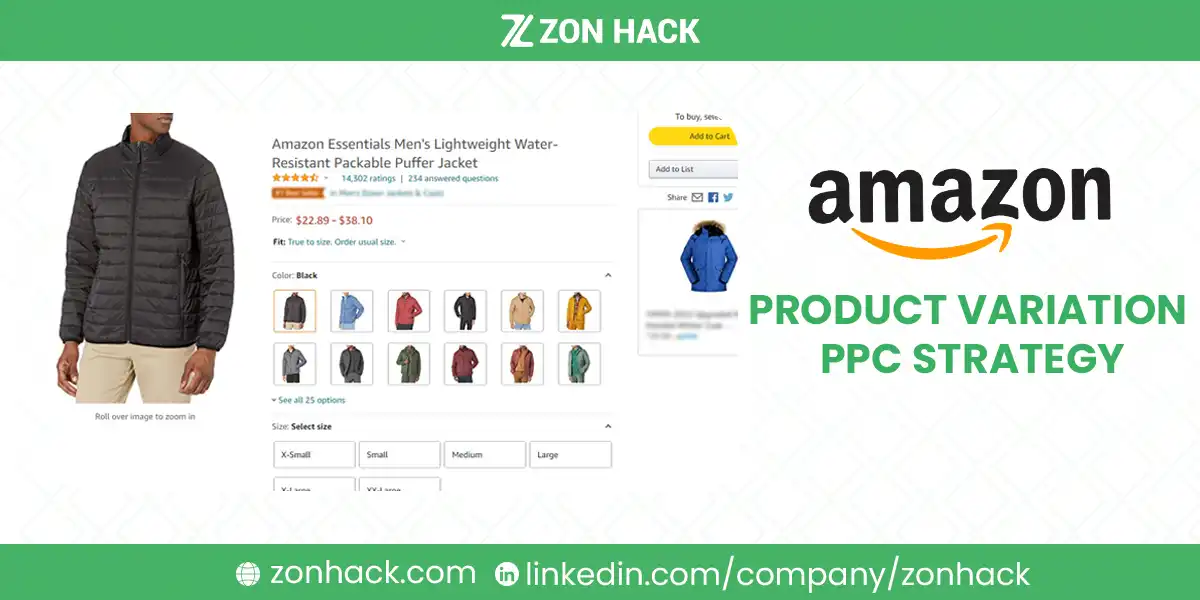
An Amazon product variation PPC strategy turns on one mechanic almost nobody states plainly:
when you advertise a parent ASIN, Amazon decides which child the shopper sees. You do not choose it.
Sponsored Products has no ad copy and no landing page you control, so every fix people reach for first is
the wrong fix.
What you actually control is which child ASINs enter a campaign, on which keywords, at which bid. That
is the whole lever. Everything else in variation advertising follows from it.
The most common waste I see: every child in the family advertised on the same broad head term, all
converting at wildly different rates, all charged to one budget. In our experience that single pattern
accounts for most of the loss in variation accounts.
What actually changes when a product has variations
Five mechanics, and getting them wrong costs money.
A parent ASIN is not advertisable as a specific offer. Add the parent and Amazon serves a child of its
choosing, usually the featured offer, and I’d say this is the single fact that reframes the whole account. If that child is out of stock, priced oddly, or simply not the one
your keyword described, the click still bills you.
Reviews and ratings are shared across the family. This works in your favor, and in our experience it is undervalued. A new color inherits the
family’s social proof, which means a new child does not need its own advertising ramp to look credible.
Sales history, price, and Buy Box are per child. So conversion rate is per child, sometimes by a wide
margin. When I have pulled 60 days by child, the spread between best and worst was rarely small.
Sponsored Products carries no creative. No headline, no CTA, no ad copy. The listing is the ad. If you
want a headline and a custom image, that is Sponsored Brands, which is a different product with a
different structure.
Your own children can bid against each other, though only if you have put more than one of them on the
same keyword. That is a structure problem, not an Amazon problem.
I’d internalize the first and fourth points before writing a single campaign. Most bad variation advice
comes from treating Amazon like Google Ads.
The Amazon product variation PPC strategy that works
One rule does most of the work: one child ASIN per ad group.
Campaign per product family. Ad group per child. Each ad group holds one child and the keywords that
describe that child specifically. Now spend, conversion rate, and bids are readable per variation, and you
can pause a loser without touching a winner.
Head terms go to your best-converting child, once. “Yoga mat” belongs in exactly one ad group, on the
child with the strongest conversion history. Not in six. The family shares reviews anyway, so the
halo does the work the other children would have paid for.
Attribute keywords go to the matching child. “Purple yoga mat” to the purple child. “Extra thick yoga
mat” to the thick one. This is the part variation sellers actually get right.
Edge variations get their own small budget or nothing. The 4XL, the unusual color, the discontinued
flavor. They exist for catalog completeness. Funding them on head terms is charity, and I’d cut it on day one.
Keep a parent-level campaign only if you are testing. Some accounts find the parent outperforms any
single child, because Amazon rotates toward whichever child is converting that week. Worth measuring. Not
worth assuming.
Keyword work for an Amazon product variation PPC strategy
The same discipline as any account, with one addition.
Separate attribute terms from category terms. Category terms describe the product family. Attribute
terms describe one child, and I’ve found sellers merge the two without noticing. Mixing them in one ad group makes the data unreadable, which is the real cost.
Mine your own search term report before buying a tool. It tells you which attribute shoppers actually
name. In our experience sellers are surprised by which attribute leads: they assume color, and the report
says size.
Negate across children, not just across irrelevance. If “purple yoga mat” converts on the purple
child, add it as a negative in the other children’s ad groups. This is the step that stops your own
family from competing with itself, and it is skipped more often than any other. Our guide to
negative keywords on Amazon covers the
mechanics.
Do not chase long-tail terms for variations nobody searches for. A keyword with no volume is not a
cheap opportunity. It is nothing, and in my experience it wastes an afternoon that structural work deserved.
Bids, from your own numbers
Two settings people conflate, and one calculation that governs both.
Targeting type is automatic or manual. Automatic lets Amazon match; manual means you chose the
keywords. This is not a bid setting.
Bidding strategy is separate: down only, up and down, or fixed, plus placement adjustments. Down only
is the sane default while you are learning a new family.
The calculation. Break-even cost per click is your margin per unit times your conversion rate. Since
conversion rate is per child, break-even is per child, which is the entire reason to split ad groups. A
child converting at 12% supports a bid a child converting at 4% cannot. Setting one account-wide bid
across a family is how you overpay on the weak children and underbid on the strong one.
Our guide to Amazon bid types and strategies
covers the arithmetic in full.
Placement adjustments last. Top of search costs more and converts better. Worth using once the
structure is clean, and pointless before then. I’d leave them at zero until the ad groups are split.
Budget, honestly
Fund children in proportion to demonstrated conversion, not in proportion to how many you have. Six
variations does not mean six equal budgets.
Concentrate rather than spread. In our experience a single well-funded ad group on your best child beats six starved
ones, because Amazon needs delivery volume to produce readable data. Thin budgets across many children
produce noise you will then optimize against.
Watch for the seasonal child. Some variations have a season. Move budget rather than running them flat
year-round, and I’d set a calendar reminder rather than trusting yourself to notice.
Cap what you are willing to lose on new children. A new color launched into an established family
should reach profitability quickly, because it inherits reviews. When I have seen one fail to, the
diagnosis was price or demand rather than anything in the campaign.
What to stop doing
Five habits that show up repeatedly, and one of them is in most articles on this topic.
Writing ad copy for Sponsored Products. There is none. What you are actually editing is the listing:
title, images, bullets. Our guide to
improving your product detail page covers
the part that does the converting.
Advertising every child equally. The commonest and the most expensive, and in our experience the hardest habit to argue somebody out of.
Judging a child on ACoS alone. A child at 40% ACoS carrying half your family’s volume can be worth
more than one at 15% carrying nothing. Look at total sales and total margin, not just the ratio.
Reacting weekly. Variation data accumulates slowly because it is split across children. Two to four
weeks per read, and I’d resist touching bids in between.
Leaving out-of-stock children advertised. You pay for the click, Amazon serves a different child or
nothing, and the campaign’s history gets polluted. Pause them, and I’d automate the check rather than rely on memory.
Sponsored Brands and Display, where variations behave differently
Two additions once Sponsored Products is clean.
Sponsored Brands lets you show up to three ASINs with a headline, which is the one place you can
deliberately present several variations side by side, and I’d use it where the choice between them is genuinely the decision. Useful when the choice between variations is the
purchase decision.
Sponsored Display product targeting on your own family puts one child on another child’s detail page,
so a shopper browsing the blue one sees the black one. Cheap, and in our experience routinely neglected.
Our guide to
Amazon Display bidding strategies covers the
settings.
Neither rescues a broken Sponsored Products structure. Fix that first.
A sequence I’d follow
- Pull 60 days of data by child ASIN. Sales, conversion rate, and spend, per child. Ten minutes, and in our experience
it usually reframes the whole plan. - Rebuild as one ad group per child. Unglamorous, highest value.
- Assign head terms to the single best-converting child, and negate those terms everywhere else in
the family. - Set bids from each child’s own break-even, not one number for the family.
- Pause the edge variations on anything but their own attribute terms.
- Read at 4 weeks, then adjust once. I’d resist the urge to intervene sooner.
If you would rather have the family restructured and managed against margin, that sits inside our
Amazon PPC service. We are an Amazon Ads
partner and an Amazon SPN Verified Partner.
FAQ
Should I advertise the parent ASIN or the child ASINs?
Advertise child ASINs when you want control, because adding a parent lets Amazon choose which child the
shopper sees. A parent campaign is worth testing alongside, since Amazon rotates toward whichever child is
converting, but it should not be your only structure.
Should each variation have its own campaign?
One ad group per child inside a campaign per product family is usually enough. Separate campaigns are only
necessary when you need separate budgets, since ad groups already give you separate keywords and bids.
Why are my own variations competing against each other?
Because the same keyword sits in more than one child’s ad group. Assign each head term to a single
best-converting child and add it as a negative keyword in the other children’s ad groups.
How do I write ad copy for Amazon variation ads?
You do not. Sponsored Products has no ad copy and no landing page you control; the listing itself is the
ad. Sponsored Brands is the only format with a headline and custom image.
How should I set bids across product variations?
From each child’s own break-even, which is margin per unit multiplied by that child’s conversion rate.
Conversion rate differs substantially between variations, so a single family-wide bid overpays on weak
children and underbids on the strong one.
Do variations share reviews on Amazon?
Yes, ratings and reviews are shared across a variation family while sales history, price, and Buy Box
status are per child. That is why a new color can launch without needing its own advertising ramp to look
credible.
Last updated: August 31, 2026. Amazon’s campaign types, bidding strategies, and placement controls change
over time; the Amazon Ads console carries the current options for your account. An earlier version of this
page described ad copy, calls to action, and landing page alignment for Sponsored Products, none of which
exist in that format, and cited unnamed case studies and tool recommendations; those sections have been
rewritten or removed.







