


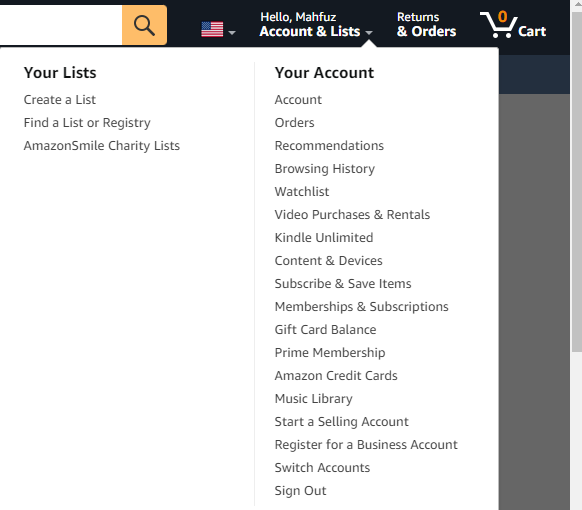
Everything you need to do with Amazon orders lives in one place: Account and Lists, then Your Orders. From there you can conceal a purchase, retrieve a concealed one, search years back, download an invoice, cancel while it remains pending, or begin a return. All of it, one page.
The friction is that Amazon keeps renaming and relocating these controls, so half the guides online describe buttons that vanished years ago. Annoying. This one walks each task as the interface behaves now, with the exact menu path, and covers the two situations people genuinely panic about: a purchase that has disappeared, and one they urgently need to stop.
How to hide an order on Amazon
Hiding (Amazon calls it archiving) pulls a purchase out of your default list. Useful for gifts, or anything you would rather not display to someone browsing a shared device.
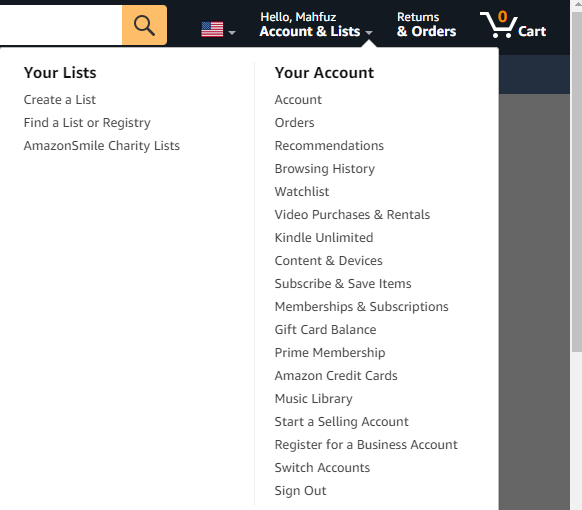
- Sign in and hover Account and Lists, then click Orders. Simple enough.
- Find the order and select Hide Order (previously “Archive Order”) to its right.
- Confirm on the next screen.
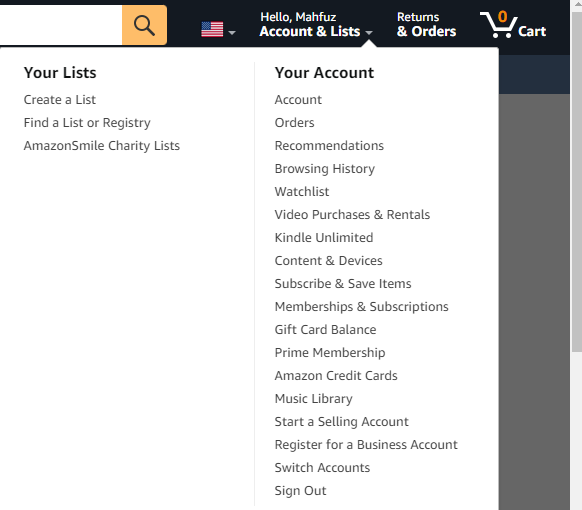
Two limits worth understanding, because I watch people misread this feature constantly. It matters:
- Concealing is not deleting. The record survives, still sits in your purchase archive, and still counts toward returns and warranty. Amazon permits no deletion of buying history whatsoever.
- Concealing is not privacy. Anyone with account access reaches archived items in two clicks, exactly as described below. My honest advice for genuine privacy: do not share the login.
How to find hidden or archived orders
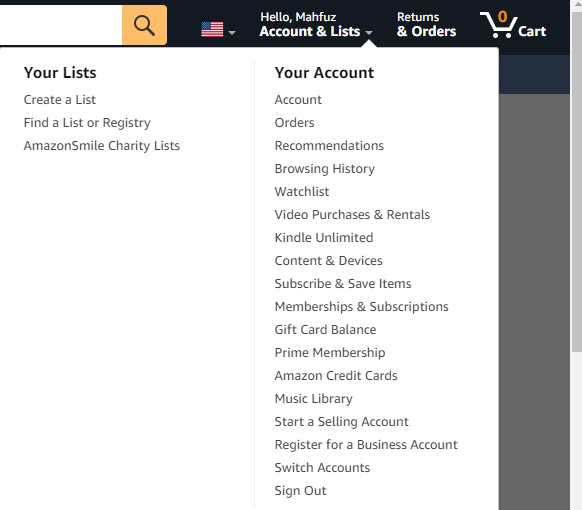
- Open Account and Lists, then Orders.
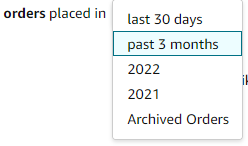
- Click the order placed in period dropdown at the top of the list.
- Choose Hidden Orders (or Archived Orders, depending on your region’s wording).
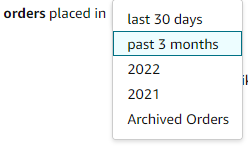
To restore something, click Unhide Order beside it. That is the whole reversal.
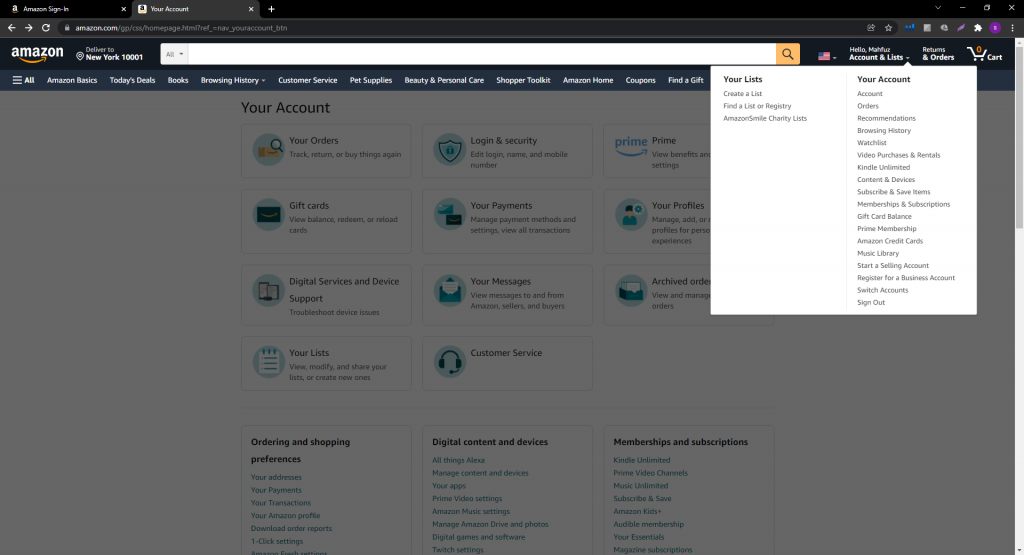
A second route exists: scroll to Ordering and shopping preferences in your settings, where Hidden Orders appears as its own section. I reach for this whenever the dropdown misbehaves, which it occasionally does after interface updates.
How to find old orders
Amazon retains buying history indefinitely, and that period dropdown is your key to reaching it.
- Go to Orders.
- Open the order placed in dropdown and pick a past year rather than the default recent window.
- Or search by product name, brand, or ASIN in the order search box, which is far faster than scrolling a decade of purchases.
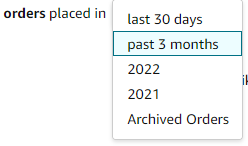
Searching by ASIN is my favorite shortcut here. Know the exact item and it surfaces every single purchase of it, which helps enormously with consumables you reorder.
How to print or download an Amazon invoice
- Open Account and Lists, then Orders.
- Locate the order and click Invoice on the right, under the order ID.
- Choose Print this page for your records, or Request invoice where a seller-issued invoice applies.
Print to PDF from your browser dialog to keep a copy. Business buyers needing formal VAT or tax paperwork should know these come from the merchant rather than Amazon on marketplace purchases, and I’d say Amazon Business accounts handle the whole thing far more cleanly than personal ones.
Can you cancel an Amazon order after it ships?
No. Once dispatch begins, the cancel button disappears, and the merchant cannot recall the parcel either. Your only route is a return for refund after delivery.
Before dispatch you usually get a window. Often roughly 30 minutes on fast-moving fulfillment, considerably longer on items not yet processed. Move quickly:
- Go to Orders, find the order, and click Cancel items.
- Select a reason and confirm.
- Watch for the confirmation email. Without it, assume the cancellation did not complete.
If the button has already gone, two practical moves remain. Refuse the delivery if you can intercept the courier, which often triggers an automatic return. Or accept it and send it back through Your Orders once it lands. FBA returns run smoothly in my experience. Seller-fulfilled ones follow that merchant’s policy, within Amazon’s rules.
When an order disappears entirely
This is the most common complaint people bring us, and the causes are almost always mundane: it was archived, it was placed on a different account or household profile, the payment failed so it never completed, or you are staring at the wrong date range.
We wrote a full diagnostic for this, including the less obvious causes, in our guide to Amazon orders not showing up. Start there before opening a support case, since in my experience the fix is two clicks rather than a conversation.
Managing orders on the seller side
Everything above is buyer-side. Merchants work from a different surface entirely: Seller Central’s Manage Orders page for individual transactions, plus the All Orders report for bulk analysis, which we covered in our Seller Central reports guide.
Two seller notes that matter operationally:
- Cancellation requests arriving after dispatch deserve a prompt, honest reply: the parcel has gone, and here is how to send it back. Silence breeds A-to-Z claims, and claims damage your Order Defect Rate. Every time.
- Your cancellation rate is a metric. Seller-initiated pre-fulfillment cancellations must stay under 2.5%, and breaching it puts the account at risk, as we covered in our guide to suspended seller accounts.
FAQ
How do I hide an order on Amazon?
Go to Account and Lists, then Orders, find the order, and click Hide Order, then confirm. The order moves out of your default view but remains in your account under Hidden Orders.
Can I delete my Amazon order history?
No. Amazon does not allow customers to delete order history; hiding (archiving) only removes orders from the default view. Anyone with account access can still see hidden orders in two clicks.
Where are archived orders on Amazon?
Open Orders, click the “order placed in” period dropdown, and select Hidden Orders or Archived Orders. They also appear under Ordering and shopping preferences in your account settings.
How do I find an Amazon order from years ago?
In Orders, use the period dropdown to select the relevant year, or search by product name, brand, or ASIN in the order search box. Amazon retains purchase history indefinitely.
How do I get an invoice for an Amazon order?
Open Orders, click Invoice under the order ID, then print or save as PDF. For marketplace purchases needing a formal tax invoice, the seller issues it, and Amazon Business accounts handle invoicing more comprehensively.
Can I cancel an Amazon order that has already shipped?
No. After shipping, cancellation is unavailable to both buyer and seller. Refuse the delivery if possible, or accept it and process a return through Your Orders for a refund.
Last updated: August 27, 2026. Amazon renames and relocates order controls periodically; if a menu label differs, look for the equivalent option in the same area of Your Orders.







