


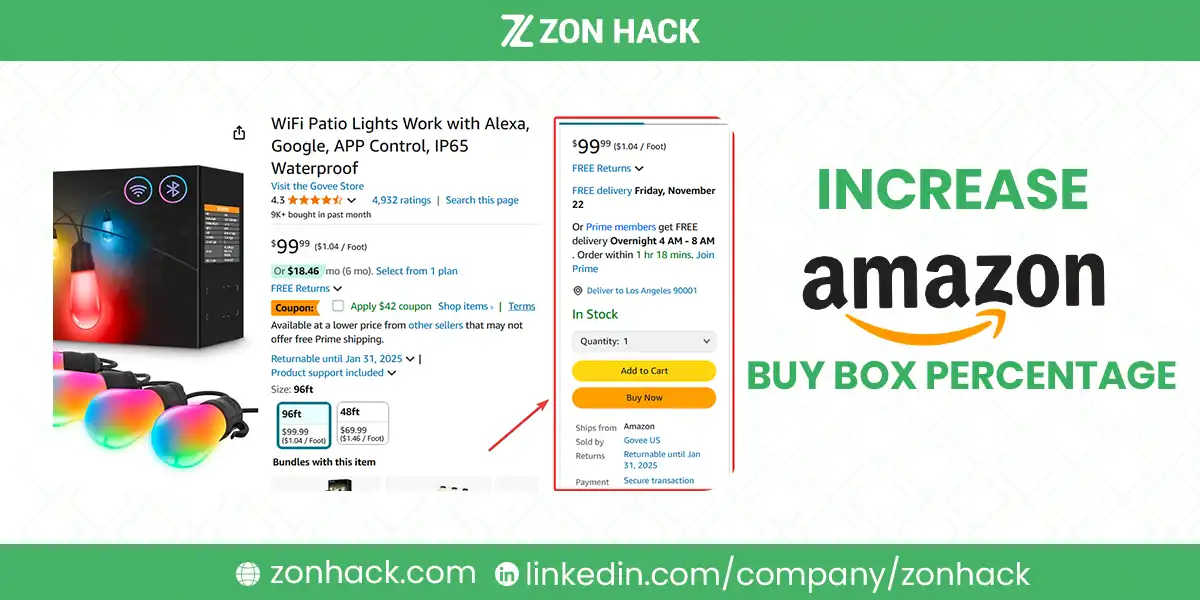
Your Amazon Buy Box percentage is the share of page views where your offer occupied the Buy Box, meaning the Add to Cart button belonged to you. It matters more than almost any other single number, because the overwhelming majority of Amazon orders go through that button rather than through the other-sellers list.
I’d reduce it to six things: landed price, fulfillment method, seller performance metrics, stock availability, shipping speed, and how long you have been selling the item. Price gets all the attention and is not the whole answer, which is why cutting price often fails to win it back.
Where to find your percentage
In Seller Central, open the Business Report and look for the Buy Box percentage column at the ASIN level. Set the date range wide enough to see a trend rather than a day.
I’d check this weekly on any product with competing offers. It moves before your sales do, so a falling percentage is an early warning, and in our experience sellers notice the revenue drop first and then spend a week working out what happened.
If your ranking has already moved, Buy Box is the second thing to check after stock. Our guide on diagnosing a ranking drop runs the full sequence in the order worth checking.
Reading the report properly
The Buy Box percentage column is easy to misread, and two mistakes are common enough to warrant naming.
The first is reading it at account level. The account figure averages across everything you sell, so a catalog of uncontested private label products masks a serious problem on the handful of ASINs where you compete. I’d only ever read this at ASIN level, sorted by revenue, because that is where the money actually is.
The second is reading a single day. Buy Box share rotates. When two offers are closely matched Amazon shares the box between them, so a day at 40% and a day at 60% can be the same underlying situation. Look at two weeks and read the trend, not the point.
There is a third thing the report will not tell you, and it is the one that matters most. It shows that you lost the box. It does not show who won it or why. For that you have to open the listing yourself and read the competing offers: their price, their shipping cost, their fulfillment method and the delivery date each one shows.
I’d do that manually on your top three competed products rather than trying to automate it. Five minutes each, once a week. In our experience the cause is usually obvious the moment you look at the actual page, and completely invisible from the report alone.
One more habit worth building. When you find the reason, write it down with the date. Buy Box losses repeat, and a short history tells you whether this is the same competitor returning or a new problem, which changes the response entirely.
The six factors, and how much each matters
| Factor | Weight | What to do about it |
|---|---|---|
| Landed price | Highest | Compare your price plus shipping against competing offers, not your price alone |
| Fulfillment method | Very high | FBA and Seller Fulfilled Prime carry a real advantage over standard FBM |
| Seller metrics | High | Order Defect Rate, Late Shipment Rate, cancellations |
| Stock availability | Binary | No stock, no Buy Box. There is no partial credit |
| Shipping speed | High | The delivery date shown to the buyer, not your handling time |
| Selling history on the ASIN | Moderate | Builds slowly, cannot be rushed |
Landed price is the one people get wrong, and I’ve seen it cost real margin. Amazon compares price plus shipping, so a seller at $24 with free delivery beats you at $22 plus $4 shipping. If you are losing the Buy Box while apparently being cheapest, check this first.
Fulfillment method is the lever most worth pulling if you are FBM and losing to FBA competitors. The advantage is substantial, and no amount of price cutting reliably overcomes it. Either move to FBA, or pursue Seller Fulfilled Prime if you can genuinely hold its standards, which our guide to FBM shipping requirements sets out.
Seller metrics work as a threshold rather than a slope. Sitting comfortably inside the targets gets you considered; drifting outside any of them can disqualify you entirely regardless of price.
Why cutting price often fails
This is the mistake I’d most want to prevent. It costs margin and fixes nothing.
If you lost the Buy Box to an FBA seller and you are FBM, price is not the binding constraint. You can undercut them meaningfully and still lose, because the fulfillment advantage is doing the work. You have then given away margin and gained nothing.
Same for metrics. A seller outside the Order Defect Rate threshold does not win the Buy Box at any price, and lowering it just makes the eventual recovery more expensive.
So before touching price, answer one question: what changed? If a competitor arrived, price may be relevant. If your own metrics slipped, or you switched fulfillment, or you were briefly out of stock, price is irrelevant and you should fix the actual cause.
I’ve found that single question saves more margin than any repricing strategy.
Repricers, and how to use one without harm
A repricer adjusts your price automatically against competing offers, and in our experience it is the tool most often configured badly. On a catalog with many competed ASINs it is close to essential, because manual repricing does not scale.
Two rules I’d treat as non-negotiable.
Set a floor and mean it. The floor should be your genuine break-even including every fee, not a number that feels low. Repricers race to the floor, and an inaccurate floor produces sales that lose money reliably.
Do not chase unauthorized sellers to the bottom. If someone selling counterfeit or grey-market stock is undercutting everyone, matching them is a losing fight. Report it and hold your price.
Beyond that, prefer a rule that targets the Buy Box rather than the lowest price. Winning at a penny below the next offer is the goal; being cheapest on the page is not, and those are different settings.
When nobody has the Buy Box
Sometimes the Add to Cart button is missing entirely and the page shows only “See All Buying Options.” This is worth recognizing because the causes are specific.
Usually it means Amazon has judged every available offer to be priced above a reference it holds for the product, often derived from other retailers. Sometimes it means the product is restricted, or the listing has a problem.
The fix, when it is pricing, is to bring your price to something Amazon considers reasonable. This is frustrating when your costs genuinely justify a higher price, and I’d rather say plainly that there is not always a way around it.
What to actually do this week
Work in this order. I’d go cheapest first every time.
- Check stock, including any gap in the last 90 days.
- Check Account Health and confirm every metric is inside target.
- Compare landed price, yours plus shipping against each competing offer plus theirs.
- Compare the delivery date shown on your offer against theirs. Not your handling time, the date the buyer sees.
- Check fulfillment method across the competing offers. If they are FBA and you are not, that is your answer.
- Only then consider price.
Steps one to five take twenty minutes and identify the cause most of the time. Step six is where most sellers begin, which is why so many of them end up cheaper and still losing.
The longer game
I’d treat Buy Box share on a competed ASIN as a permanent contest rather than a problem you solve once.
Two things compound in your favor. Selling history on the ASIN builds slowly and cannot be rushed, so simply continuing to sell improves your position over time. And metrics kept comfortably inside target mean you are never disqualified during the moments that matter.
The third thing, and the strongest, is not competing at all. A product only you sell has no Buy Box contest, which is one of several reasons private label is worth the additional risk. Our guide to finding low competition products covers how to choose one that stays uncontested for a while.
FAQ
What is Amazon Buy Box percentage?
The share of your product’s page views where your offer held the Buy Box, meaning the Add to Cart button was yours. It appears in the Business Report at ASIN level, and it matters because most Amazon orders go through that button rather than through the other-sellers list.
What determines who wins the Amazon Buy Box?
Landed price including shipping, fulfillment method, seller performance metrics, stock availability, the delivery date shown to the buyer, and selling history on that ASIN. Price is the most discussed factor but rarely the only binding one.
Why am I losing the Buy Box even though I have the lowest price?
Usually because Amazon compares price plus shipping rather than price alone, or because a competitor fulfills through FBA while you ship yourself, or because one of your performance metrics has drifted outside its threshold. Metrics act as a disqualifier regardless of price.
Does FBA help win the Buy Box?
Substantially. FBA and Seller Fulfilled Prime both carry a real advantage over standard seller fulfillment, and it is large enough that undercutting an FBA competitor on price frequently fails to win the Buy Box back.
Should I use a repricer?
On a catalog with many competed listings, yes, since manual repricing does not scale. Set the floor at genuine break-even including all fees, and configure it to target the Buy Box rather than the lowest price on the page, which are different settings.
Why does no one have the Buy Box on my listing?
Amazon suppresses the Buy Box when it judges all available offers to be priced above a reference it holds for the product, often drawn from other retailers. It can also happen on restricted products or listings with data problems.
Last updated: September 12, 2026. Amazon does not publish the Buy Box algorithm and its behavior changes, so treat this as an informed model built from observed behavior. Verify current metric thresholds and report locations in Seller Central. ZonHack is an Amazon Ads verified partner and an Amazon SPN Verified Partner.







