


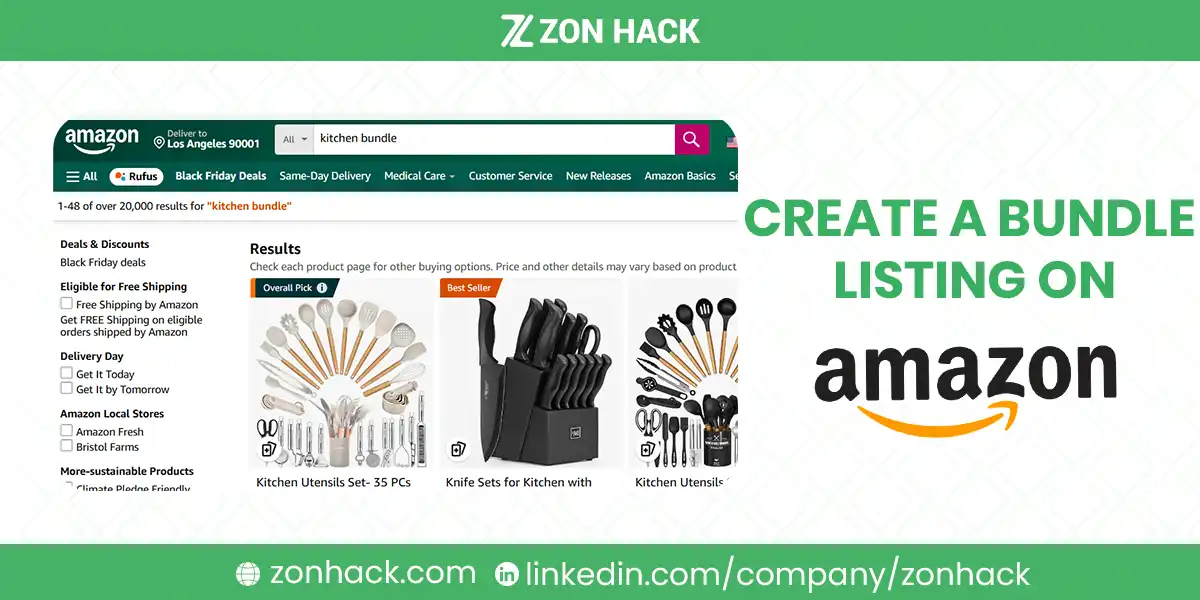
To create a bundle listing on Amazon you build a single new ASIN that sells several complementary
products together as one purchase, with its own barcode, its own images, and its own detail page. It is
not a multipack, it is not a variation, and it is not simply listing two items in one title.
The reason bundles are worth the effort is that a compliant bundle is a listing nobody can hijack, and in our experience that alone justifies the work.
You created the ASIN, you own the combination, and no other seller has the identical set. That is the
strategic point, and it matters more than the modest uplift in average order value.
The reason bundles get removed is almost always the same: the seller built a multipack and called it
a bundle, or bundled products from a brand that prohibits it. Both are avoidable. Both are covered below before the build steps, because I’d rather you read the constraints before sourcing than after.
Bundle, multipack, or variation
Getting these three straight prevents most of the trouble, and in our experience the confusion between them causes more removals than any deliberate rule-breaking does.
A bundle is several different, complementary products sold as one unit. A camera, a case, and a
memory card. Needs its own UPC and its own ASIN.
A multipack is several identical units sold together. Six of the same bottle. This is a quantity
listing rather than a bundle, and it uses the item package quantity field. Our guide to
the Amazon edit quantities error covers why getting
that field wrong is genuinely expensive.
A variation is the same product in different sizes or colors, grouped under one parent. Not a bundle at all. I’d not let anyone tell you otherwise.
Calling a multipack a bundle is the single most common cause of removal. In our experience it happens
because “bundle” sounds more marketable, and the policy consequence arrives months later.
The policy rules that decide whether yours survives
Read these before sourcing anything, because they are the constraints that cannot be worked around.
Products must be complementary. Somebody buying one should plausibly want the others, and in my experience Amazon reads that requirement more strictly than sellers hope. A random
assortment is not a bundle even if the items are unrelated in a way you find creative.
The bundle needs its own UPC or GTIN, distinct from the components. You cannot reuse a component’s
barcode. If you need an exemption rather than a barcode, our guide to
applying for a GTIN exemption covers that route.
One brand must anchor it, and the bundle is listed under that brand. Mixing several brands with no
dominant one is a frequent rejection.
Brand permission matters. Many brands prohibit bundling their products, and gated categories add
their own restrictions. This is the check people skip, and it is the one that produces an
intellectual property complaint rather than a polite listing takedown.
No duplicates of an existing bundle. If the identical combination already exists as an ASIN, you sell
on that listing rather than creating a second one.
Books, media, and some categories are excluded or heavily restricted. Check the category rules rather
than assuming.
I’d treat brand permission as the first gate rather than the last. When I have seen bundles removed, an
unread brand policy was behind it more often than any listing error.
How to build it, step by step
- Confirm the combination is allowed. Brand policy, category rules, and whether the identical
bundle already exists. - Obtain a UPC or GTIN for the bundle itself, from GS1 rather than a resold barcode. Amazon
validates against GS1 records, and cheap resold barcodes are a known cause of listing failure. - Decide the anchor brand and list under it.
- Create a new listing, not a variation of an existing one. Add Product in Seller Central, new ASIN.
- Write the title so the contents are unmistakable. Anchor brand, primary product, then what else is
included. A shopper should not have to read bullets to learn what arrives. - Photograph the bundle as a bundle. All components in the main image, on white, arranged as
received. Component photos borrowed from the individual listings are the commonest reason a bundle
converts badly, because the shopper cannot see what they are buying. - List every component in the bullets, with quantities and sizes. Ambiguity here produces returns.
- Set the price against the components bought separately, and make the saving visible.
- Prep and label as one unit. One FNSKU on the outer packaging, components secured inside so they
arrive together. A bundle that arrives as loose items is a customer complaint waiting to happen.
Pricing, honestly
The part that decides whether the bundle is worth building.
A bundle must be cheaper than buying the components separately, or there is no reason to choose it.
Shoppers do check.
But it must also be more profitable than selling the components separately, once you count the extra
prep labor, the larger box, and the higher FBA fee that the combined size and weight attract. That
second calculation is the one people skip.
Work it through before sourcing. A bundle that saves the customer 15% and costs you 20% more to
fulfill is a worse business than two separate listings, however good it looks on the page. I’d run
the numbers on paper first, because reversing a bundle after you have committed inventory is awkward.
Why bundles are worth it anyway
Three reasons, in order of how much they actually matter.
You own the ASIN. No competition on your own listing, no hijackers, no price war with resellers of
the identical set. For a private-label seller this is the strongest argument by a distance.
Higher average order value. The reason everybody cites, and I’d call it the least interesting of the three.
A genuine differentiation position. A bundle solves a use case rather than selling a product, which
is frequently the strongest position available to a smaller brand. Our guide to
Amazon competitor analysis covers choosing what to
compete on, and configuration is one of the few axes a large competitor will not follow you onto.
The counterweight: a bundle starts with zero reviews, and it does not inherit the reviews of its
components. That is a real cost on a product where review count drives clicks, and I’d factor it into
the launch plan rather than discovering it.
Which bundles actually work
Worth spending a paragraph on, because the compliance rules tell you what is allowed and nothing about
what sells.
Solve a job, do not just group products. The bundles that work answer a question the shopper already
has. Somebody buying a first aquarium does not want three items, they want to not have to research which
three items. That framing is the difference between a bundle and a discount.
Anchor on the product being searched for. The bundle should surface for the query somebody types for
the main item, with the extras as the reason to choose you. A bundle built around an accessory nobody
searches for gets no traffic, and I’ve seen that mistake more than any other.
Include something inconvenient to buy separately. A component that is cheap but annoying to source
adds more perceived value than a second unit of the main product.
Keep it to 2 or 3 items. Four and above starts looking like clearance, and in our experience
conversion drops rather than rises.
Avoid bundling anything with a short shelf life alongside something durable, because the whole
bundle then inherits the shorter expiry and your storage risk goes up.
Prep and fulfillment, which decides your margin
The unglamorous half, and where bundles quietly become unprofitable.
One unit, one label, one box. The bundle ships as a single sellable item with a single FNSKU on the
outer packaging. Components loose in a polybag inside a box is acceptable; components rattling around
separately is a complaint.
Watch the size tier. Combining items frequently pushes the parcel into a larger fee band, and the fee
difference can exceed the extra margin you built the bundle to capture. I’d check the tier before
committing, because it is the calculation that most often kills an otherwise good bundle.
Decide who assembles. Your supplier, a prep center, or you. Supplier assembly is cheapest at volume
and inflexible if the mix changes. A pre-shipment inspection
is worth it on the first run, because an assembly error repeated across 500 units is expensive to
discover at the fulfillment center.
Plan for partial stockouts. If one component runs out, the whole bundle stops. That is a real
inventory risk and it is why bundles need slightly more conservative reorder points than single products,
which our guide to Amazon inventory management
covers.
The mistakes that get bundles removed
Multipack labeled as a bundle. The most common, covered above.
No brand permission. Produces an IP complaint, which is more serious than a listing error. Our guide
to appealing an Amazon policy violation
covers the aftermath.
Reused component barcode, or a cheap resold UPC that fails GS1 validation.
Creating a duplicate of a bundle that already exists.
Unclear contents, which generates returns and eventually a listing quality problem rather than a policy one. When I have looked at bundle returns, ambiguity about what was included explained most of them.
Selling components separately on the same listing. The bundle ASIN sells the bundle. Nothing else.
FAQ
How do I create a bundle listing on Amazon?
Confirm the combination is permitted, obtain a UPC or GTIN for the bundle itself, choose an anchor brand,
create a new listing rather than a variation, photograph all components together, list every component in
the bullets, price it below the separate total, and prep it as a single labeled unit.
What is the difference between a bundle and a multipack on Amazon?
A bundle is several different complementary products sold as one unit with its own ASIN and barcode. A
multipack is several identical units, handled through the item package quantity field rather than as a
new bundle. Calling a multipack a bundle is the most common reason bundles get removed.
Does an Amazon bundle need its own UPC?
Yes. The bundle needs its own UPC or GTIN, distinct from any component barcode, ideally issued by GS1
since Amazon validates against GS1 records. A GTIN exemption is the alternative route where a barcode is
not available.
Do I need brand permission to bundle products on Amazon?
Frequently yes. Many brands prohibit bundling their products and gated categories add restrictions.
Skipping this check risks an intellectual property complaint, which is more serious than a routine
listing takedown.
Are Amazon bundles profitable?
Only if two things are true: the bundle is cheaper than buying the components separately, and it is more
profitable for you than selling them separately after extra prep labor, a larger box, and the higher FBA
fee that combined size and weight attract.
Do bundle listings keep the reviews of their components?
No. A bundle is a new ASIN and starts with zero reviews. On products where review count drives clicks
that is a real launch cost and worth planning for rather than discovering.
Last updated: August 31, 2026. Amazon’s bundling policy, category restrictions, barcode requirements,
and fee structures change over time. Seller Central and Amazon’s own bundle policy pages carry the
current rules for your category and marketplace.







