


A retail arbitrage app turns your phone into a sourcing decision tool. You scan a barcode in a store and it returns the Amazon price, sales rank, fee-adjusted profit, and whether the category is gated for your account. For retail and online arbitrage that scan is the entire business model: buy only what the numbers approve.
These are also called Amazon seller scanner apps, FBA scanner apps, or barcode scanning apps for resellers. Same category of product, and the differences between them come down to three things rather than to branding.
We use most of these in real aisles, and I’ve made the mistake of trusting a snapshot rank at least twice. Three features decide which one suits you, and the price is not one of them.
What actually matters in Amazon seller scanner apps
Offline database. Big-box stores have terrible signal. An app that caches its database keeps working in the back corner of a clearance aisle; one that needs a live connection does not. For serious in-store sourcing, this is the deciding feature.
Speed per scan. You will scan hundreds of items in a trip. Two seconds versus five seconds per scan is an hour of your day when you’re working a big store.
Accurate fee math. The app must subtract referral fees, FBA fulfillment, and ideally your prep cost. An app that shows revenue rather than profit will lose you money politely.
Gating and restriction checks. Knowing a brand is gated for your account before you buy forty units is worth the subscription on its own.
Sales rank history. Current rank tells you little. Rank over 90 days tells you whether the item actually moves.
The seven best Amazon FBA scanning apps
1. Amazon Seller App
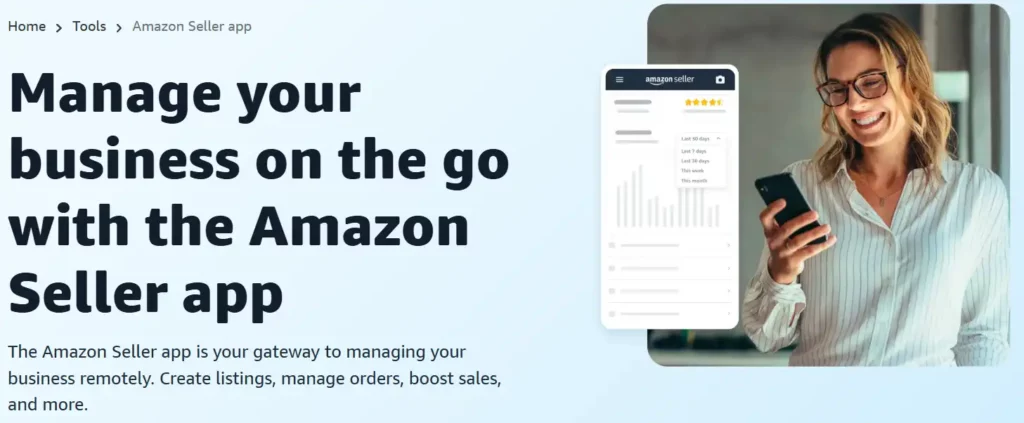
Amazon’s own app, free with your seller account. It scans, shows current price and rank, runs the FBA calculator, and flags gating on your account, which is the one thing it does better than anyone because it has your actual permissions.
No offline mode and no rank history. I still keep it installed as a second opinion, and for new sellers it is the honest starting point: learn whether you enjoy sourcing before paying for tools.
2. Scoutify 2
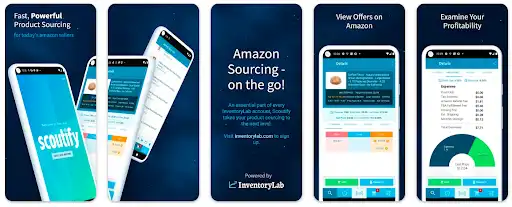
Part of the InventoryLab ecosystem, so scans flow into your accounting and listing workflow. Fast, with good profit calculation and buy-list features.
Best for sellers already paying for InventoryLab. On its own the value is thinner, since you are buying an ecosystem more than a scanner.
3. ScoutIQ
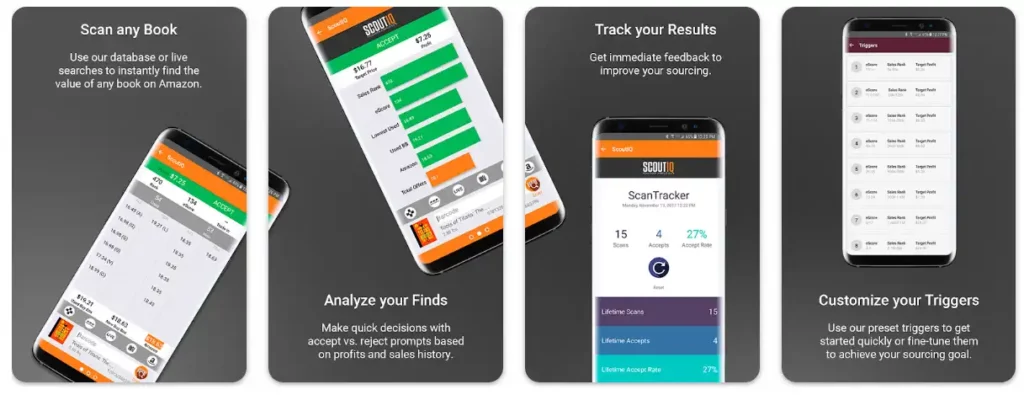
The book sourcing favorite, and its offline database is the reason. Download it before a sale, then scan without signal at all. Its eScore feature estimates how often a title actually sells rather than just its rank.
If you source books at library sales or thrift stores, this is the pick. Non-book sellers get less from it.
4. ScanPower
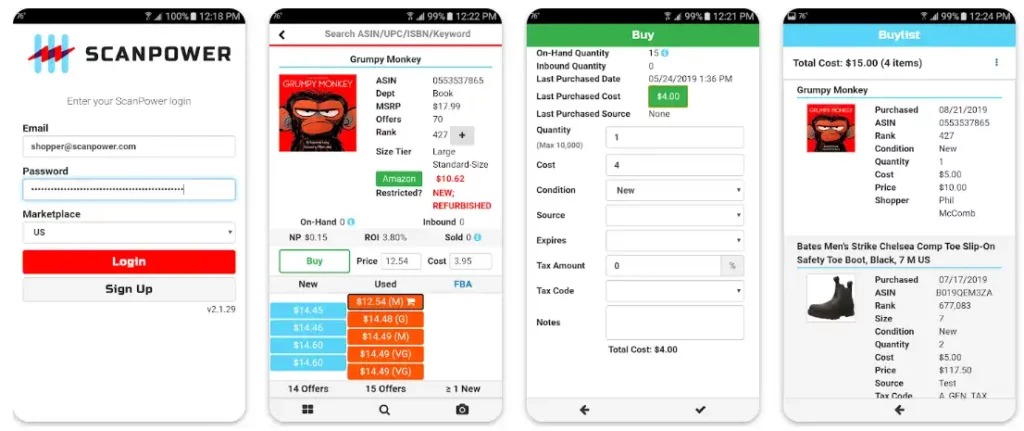
A long-established option covering scanning through listing and repricing. Functional, dependable, and less polished than newer rivals.
Best for sellers who want one vendor across sourcing and listing rather than the prettiest interface.
5. Profit Bandit
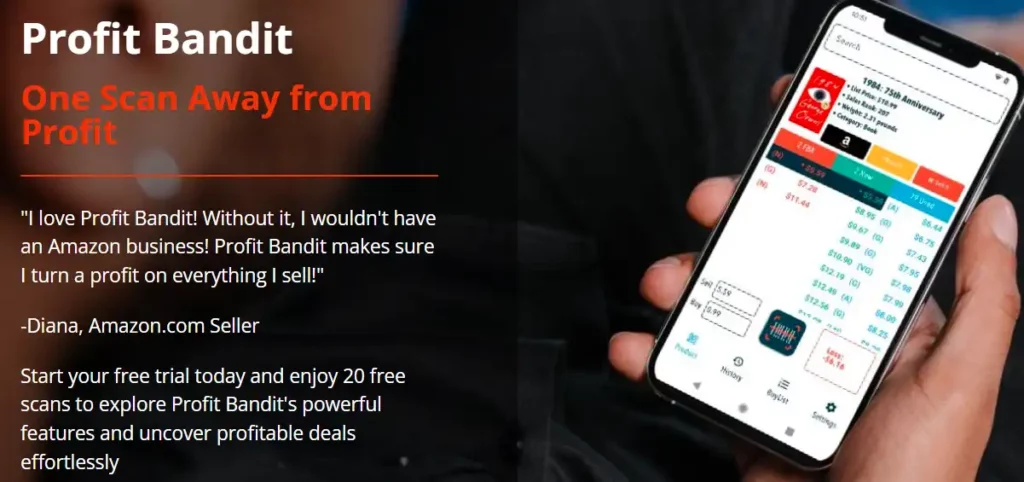
Fast scanning with clear profit math and a simple interface. It handles multiple marketplaces and lets you set your own cost assumptions, which matters when your prep cost is not zero.
A solid middle option if ScoutIQ’s book focus does not fit your sourcing.
6. Keepa
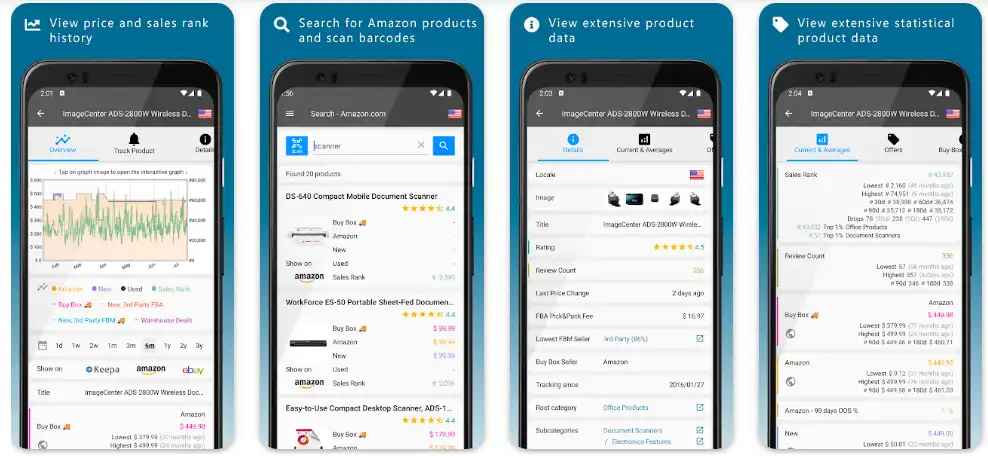
Not a scanner in the traditional sense, and arguably the most important tool on this list. Keepa’s price and rank history charts are how you tell a genuine opportunity from a temporary blip.
I would not source without Keepa data in front of me. Pair it with whichever scanner you choose rather than treating it as an alternative.
7. SellerAmp SAS
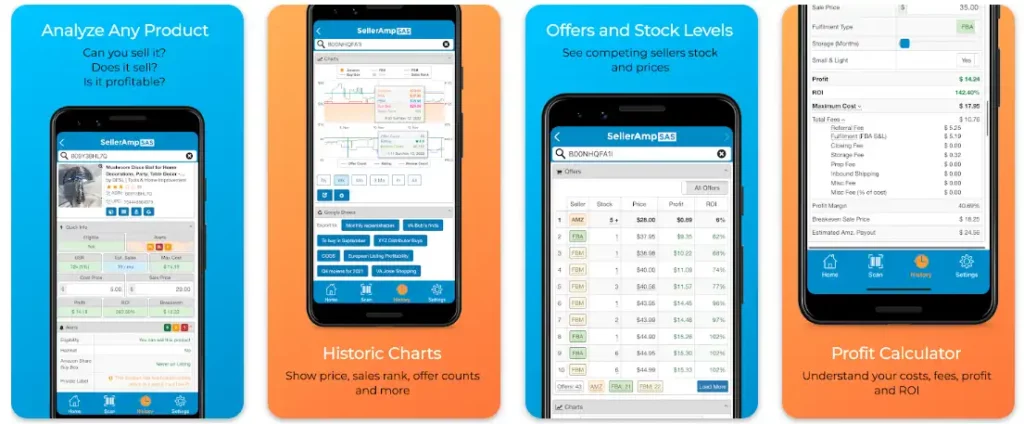
The current favorite among many arbitrage sellers, and deservedly so. It combines scanning, Keepa data, profit calculation, gating checks, and buy-decision guidance in one screen.
Best all-rounder for online and retail arbitrage. If you want one paid app and no assembly required, start here.
Which of these Amazon seller scanner apps should you pick?
| Your sourcing | Start with | Why |
|---|---|---|
| Testing whether you like arbitrage | Amazon Seller App | Free, shows your own gating |
| Books at sales and thrift stores | ScoutIQ | Offline database, sell-through data |
| Retail and online arbitrage generally | SellerAmp SAS | Everything on one screen |
| Already using InventoryLab | Scoutify 2 | Fits the workflow you own |
| Any of the above | Add Keepa | History beats snapshots |
How I’d choose an FBA scanning app in your first month
Start free when you’re new. Use the Amazon Seller app for two or three sourcing trips, and write down every moment it slowed you down. Was it signal? Speed? Missing rank history? That list is your buying criteria, and it’s more honest than any comparison chart.
Then I’d pay for one app that fixes your biggest complaint. Signal problems point to an offline database. Slow decisions point to an all-in-one screen like SellerAmp. Books point to ScoutIQ. Simple.
My rule is to judge an app on the purchases it stopped, not the deals it found. Deals feel good. Avoided mistakes are where the money is.
What scanner apps cost, and what they save
Paid apps generally sit in the low tens of dollars monthly. Annual plans usually discount that, and several offer trials.
Set against a single avoided mistake, the subscription is trivial. The expensive purchases are rarely the twenty-dollar test buys; they are the forty-unit commitments made on a rank that looked better than it was. One app that flags a gated brand before checkout pays for a year of itself.
What I would not do is subscribe to three at once. In practice, pick one scanner, add Keepa, and give the pair two sourcing trips before judging either. Switching apps every month usually signals a criteria problem rather than a software problem, in my view.
Scanning books is a different job
Book sourcing turns up constantly alongside general arbitrage searches, and the requirements genuinely differ. Worth separating rather than lumping in. Our guide to selling used books on Amazon FBA covers the fee math that decides which books are worth scanning at all.
Books need a database, not a live lookup. Thrift stores and library sales have poor signal and you are scanning hundreds of items in a session. An app that queries Amazon live for every scan is too slow and stops working the moment the signal drops. ScoutIQ built its reputation on exactly this: a downloaded database plus a scan-to-decision time measured in fractions of a second.
Rank behaves differently in books. A sales rank of 1,000,000 in most categories means dead stock. In books it can still be a sale within a month, because the category is enormous. Applying a general arbitrage rank threshold to books rejects most of what is worth buying.
Condition notes matter more than the price. Two copies of the same ISBN at different conditions are different products commercially, and the buyer reads the note.
If books are your main sourcing channel, I’d choose the app on database quality and scan speed and ignore every other feature. For mixed sourcing, a general app with a book mode is the practical compromise.
Online arbitrage needs different tools entirely
A scanner app is built around a barcode, and online arbitrage has no barcode to scan. The workflow is genuinely different and the apps above mostly do not serve it.
What replaces the scan is a browser extension that overlays Amazon data on a retailer’s product page, plus a price and rank history view so you can tell whether a margin that looks good today has been shrinking all year. Keepa does the second job and is the one tool that spans both workflows, which is why it appears in the list above despite not being a scanner.
The deeper difference is timing. In a store you decide and buy in the same minute. Online, you find a deal, order it, and the price on Amazon can move before your units arrive. I’d size individual online buys smaller for that reason. Our guide to where to buy products to sell on Amazon compares the two channels on margin and scale. For a full review of the leading online arbitrage scanner, see is Tactical Arbitrage worth it.
A sourcing routine that keeps you honest
Scanning is easy. Buying well is the discipline. This is the routine we recommend:
- Set your minimum before you leave home. A profit floor per unit and a minimum ROI, written down. Aisle decisions made against a number beat decisions made against enthusiasm.
- Check rank history, not just rank. Don’t trust a single snapshot. A rank of 40,000 that has held for six months beats a rank of 8,000 that spiked yesterday.
- Confirm you can sell it. Gating, hazmat, and category restrictions before quantity, every time.
- Count the real costs. Fees, prep, shipping to Amazon, and your time. A margin that looks healthy in the app can vanish once prep is added.
- Photograph the shelf tag. When a listing turns out to be restricted, you will want your purchase evidence for the return.
- Log what you passed on. Reviewing near-misses monthly sharpens your criteria faster than reviewing wins.
Honestly, the sellers who last are not the ones with the best app. They are the ones who stick to their floor on a slow day.
Beyond scanning: where arbitrage sellers get stuck
Sourcing is step one. The volume problems come later: prepping units to Amazon’s requirements, avoiding storage fees, and keeping account health clean while you scale a mixed catalog.
That is where the operational side matters. Our FBA prep center guide covers outsourcing the labeling and packing once your own evenings run out, and for sellers who want the whole operation handled, our account management service covers listings, pricing, and account health together.
FAQ
What is the best retail arbitrage app?
For most sellers the Amazon Seller app to start, because it is free and already tied to your account, then a paid scanner once you are sourcing weekly. Paid apps earn their cost through offline databases, faster scan-to-decision time, and gating checks that stop you buying stock you cannot list. For book sourcing specifically, database quality matters more than any other feature.
Are retail arbitrage apps and Amazon seller scanner apps the same thing?
Yes. Retail arbitrage app, Amazon seller scanner app, FBA scanner and barcode scanning app for resellers all describe the same category of product: something that reads a barcode and returns Amazon price, rank, fees and gating status for your account.
Can I use a scanner app for online arbitrage?
Not directly, since there is no barcode to scan. Online arbitrage uses a browser extension that overlays Amazon data onto a retailer’s page, plus price and rank history to judge whether a margin is stable. Keepa spans both workflows, which is why it appears in the list above.
What is the best free Amazon scanner app?
Amazon’s own Seller App. It is free with a seller account, it shows gating specific to you, and its FBA calculator is accurate. What it lacks is offline scanning and rank history, which is why most serious sourcers eventually pay for something.
Do I need an offline scanner app?
If you source in physical stores, yes. Signal in the middle of a warehouse store is unreliable, and an app that stalls costs you scans. ScoutIQ is the strongest offline option, particularly for books.
How much do Amazon scanner apps cost?
Most paid apps sit in the low tens of dollars monthly, sometimes with annual discounts. Confirm current pricing directly, since these plans change. Against a single avoided bad purchase, the subscription is rarely the expensive part.
Is retail arbitrage still worth it?
It works for sellers who treat it as disciplined buying rather than treasure hunting, and it remains the cheapest way to learn how Amazon actually behaves. Margins are thinner than they were, and gating has tightened, so your criteria have to be stricter than they used to be.
What is the best Amazon FBA scanning app?
For most arbitrage sellers, SellerAmp SAS, because it puts scanning, Keepa history, profit math and gating checks on one screen. Book sellers are better served by ScoutIQ’s offline database, and new sellers should start with the free Amazon Seller app. Whichever you pick, pair it with Keepa’s rank history before buying in quantity.
Last updated: August 24, 2026. App features and pricing change often; confirm current details with each provider.







