


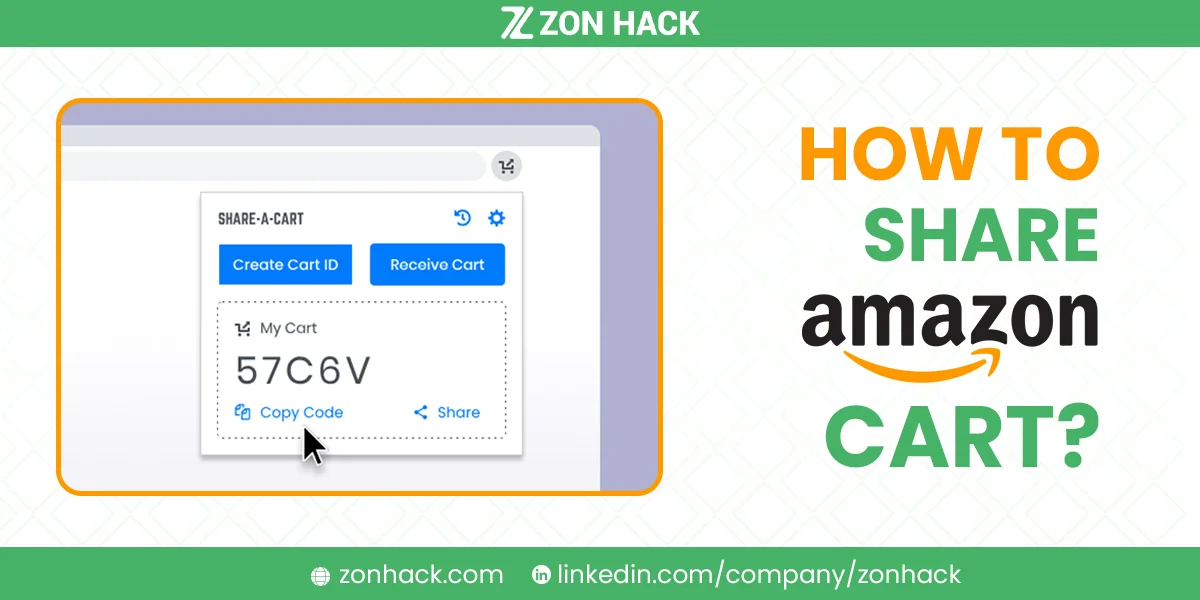
There is no built-in way to share an Amazon cart. Amazon simply does not offer the button. To send someone the exact items you have gathered, you need one of three workarounds: a browser extension that converts your cart into a link, a wish list you share instead, or Amazon Household so two people share one account’s cart.
The wish list is the method I recommend to most people. It needs no extensions, works on mobile, and does not ask anyone to trust third-party software with their shopping.
Method 1: Share a wish list instead (easiest, no extensions)
Amazon’s own wish list does almost everything cart sharing would. Better still, it is already built in.
- Instead of Add to Cart, choose Add to List on each product.
- Open Accounts & Lists, then Your Lists.
- Select the list, open the More or Send list to others menu.
- Choose Invite or Send list, then copy the link.
- Send that link by message or email. The recipient can view the items and add them to their own cart in a couple of taps.
Set the list to Shared rather than Private, or your link shows nothing. That is the single most common complaint I see, and it takes five seconds to fix.
Best for: gift planning, family shops, sending a supply list to a colleague. Works on phone and desktop.
Method 2: Browser extensions that create a cart link
Extensions such as Share-A-Cart read your cart and generate a code or URL that rebuilds those items in someone else’s cart.
How it works in practice:
- Install the extension in Chrome, Edge, or Firefox.
- Fill your Amazon cart as normal.
- Click the extension icon and choose Share cart.
- Send the generated code or link.
- Your recipient installs the same extension, enters the code, and the items appear in their cart.
Both people need the extension. That friction kills it for casual use. And you should know what you are agreeing to: an extension that reads your cart can see your shopping data. I would install one for a genuine recurring need, such as a team ordering supplies, and not for a one-off gift list.
Best for: repeat sharing between the same two people, or bulk carts too long to rebuild by hand.
Method 3: Amazon Household (one shared cart)
Amazon Household links two adults in one account structure. It does not transfer a cart between accounts; instead both people work with shared benefits, and with a shared login you are literally using the same cart.
Set it up under Account & Lists, then Amazon Household. It suits couples and families who buy together anyway. For anything less, it is overkill.
Best for: households that shop as one unit.
Which way to share an Amazon cart should you use?
| Situation | Use | Why |
|---|---|---|
| Sending a gift or grocery list | Wish list | No installs, works on mobile |
| Same two people share often | Browser extension | One-click after setup |
| Couple or family, one budget | Amazon Household | Genuinely shared cart |
| Recipient will not install anything | Wish list | Nothing to install |
| Very long cart to hand over | Extension | Avoids rebuilding by hand |
Honestly, nine times in ten the wish list is the right answer. I only reach for an extension when the list runs past twenty items.
What sharing an Amazon cart cannot do
Worth setting expectations before you try:
- Carts do not transfer prices. Whatever the recipient pays is today’s price in their region, not what you saw.
- Availability differs by location. An item in your cart may be unavailable at their address.
- Subscribe & Save and digital items often refuse to move between accounts cleanly.
- Nothing syncs afterwards. Change your cart later and their copy does not update. Send a fresh link.
- Regional stores are separate. A cart from amazon.com will not rebuild neatly on amazon.co.uk.
A quick worked example
Picture a family barbecue. Three people are contributing. In our experience this exact flow, and it takes about four minutes.
Build one list called “BBQ” and add everything: charcoal, disposable plates, two sauces, a cooler bag. Set the list to shared, copy the link, and drop it in the group chat. Everyone opens the link, sees the same items, and claims what they will buy by adding it to their own cart.
Nobody installs anything. Nobody sees your payment details or address. And because the list persists, next summer you reuse it rather than rebuilding from memory. I keep three standing lists for exactly this reason: household refills, office supplies, and gifts.
The extension route would have worked too. It would also have required three people to install software for one barbecue, which is the trade nobody makes voluntarily.
Cart items keep disappearing? That is normal
Amazon never guarantees a cart forever. It cannot. Items can drop out when they go out of stock, when a seller pulls the listing, or after long inactivity. Saved carts persist longer while signed in, and much less reliably when you are not.
If items you expected are gone, check Saved for Later beneath the cart before assuming something broke. If it is an order rather than a cart you cannot find, we cover that in why an Amazon order is not showing up. Sellers wondering how shoppers actually use lists and carts may find our listing optimization guide more useful.
FAQ
Can I share my Amazon cart without an extension?
Yes. Move the items into a wish list and share that instead. It is built into Amazon, works on mobile, and the recipient needs nothing installed.
How long do items stay in an Amazon cart?
There is no published expiry. In practice, items remain while you stay signed in but can vanish when stock runs out, a seller removes the listing, or the cart sits untouched for a long stretch. Anything you want to keep belongs on a list, not in a cart.
Are cart-sharing extensions safe?
Reputable ones from official browser stores are widely used, but any extension that reads your cart can see your shopping activity. Check the permissions, install only from the official store, and remove it when the need passes.
Can others edit my shared cart?
No. Sharing sends a copy. Whatever the recipient changes affects only their own cart, and your original stays as it was.
Can I share a cart between Amazon accounts in different countries?
Not reliably. Amazon’s regional storefronts hold separate catalogs, so links and codes frequently fail across them. Sending product names or ASINs is the sturdier option internationally.
How many items can an Amazon cart hold?
Amazon does not publish a hard limit, and carts of fifty-plus items behave fine in practice. Very large carts get unwieldy to review, which is another argument for a list.
Last updated: August 24, 2026.







