


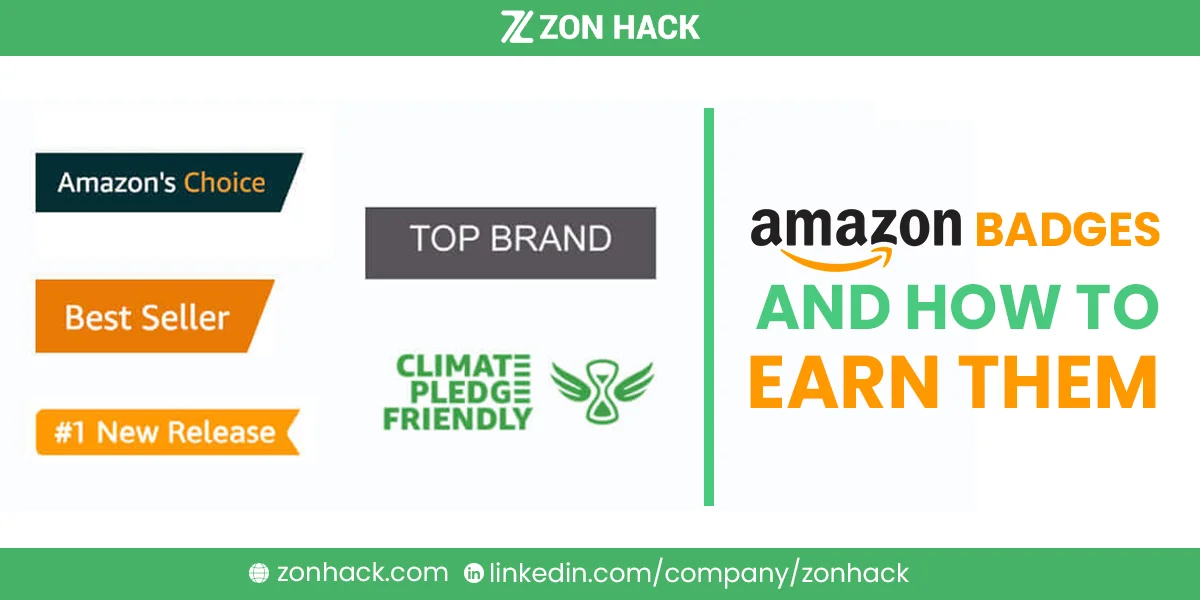
Amazon badges are the small ribbons and labels on product listings that tell shoppers “this one is safe to buy.” They lift conversion measurably, and I want one thing clear immediately: none can be bought, requested, or negotiated. Every badge is awarded algorithmically from your sales performance, pricing, availability, and category.
That last point is the one worth internalizing before reading further. Merchants regularly open support cases begging for one, and the agent on the other end simply cannot help. What you can do is engineer the conditions each award measures, which is what this guide covers, one at a time.
We manage listings and advertising for client accounts. Where a marker sits realistically within reach, and where it comes down mostly to luck, I’ll say so plainly.
The seven badges
| Badge | Looks like | Awarded for |
|---|---|---|
| Best Seller | Orange ribbon | Ranking #1 in a category by recent sales |
| Amazon’s Choice | Dark ribbon | Best match for one specific search keyword |
| New Release | Orange ribbon | Top new arrival in a category, first 90 days |
| Prime | Blue Prime logo | Prime-eligible fulfillment |
| Climate Pledge Friendly | Green leaf | Qualifying sustainability certification |
| Limited Time Deal / Deal of the Day | Red deal tag | Approved promotional deal |
| Extra Savings / Coupon | Green coupon flag | Active coupon or promotion |
Best Seller badge
An orange ribbon marking the top-ranked product in a category. Requirements, as far as Amazon documents them:
- Your ASIN ranks #1 in its bestseller list, and that list contains at least 100 products
- Sufficient recent and historical sales velocity (Amazon never publishes the threshold)
- The category supports badging; some do not

Why it disappears
The badge is recalculated continuously and vanishes when:
- The category stops being eligible for badging
- The browse node drops below 100 products
- A competitor’s offer overtakes yours
Three things worth knowing if you lose it. Support cannot add a badge to a listing that is not currently eligible. Support cannot tell you which browse nodes are eligible, because it is all algorithmic. And if you believe a genuine glitch removed a badge from an eligible listing, a case with a screenshot of the detail page is the only route, and it works only in that narrow circumstance.
How to actually earn it
Velocity is the entire contest here, so your work is anything that raises it:
- Grow organic sales through keyword coverage and rank.
- Optimize the listing properly, following the 6 pillars.
- Get your category right. An item misfiled into a brutally competitive node cannot win. That identical item, correctly placed in a narrower one, sometimes can. I’d call this the most overlooked lever on the page.
- Price competitively and stay in stock, since a stockout resets your momentum.
- Run ads to buy the velocity that organic rank later sustains.
Amazon’s Choice badge
A dark ribbon awarded per keyword, not per product. Amazon grants it to the single best match for a specific search term, originally to help Alexa voice shoppers buy without browsing.

Because the scope is per-query, your item can hold this ribbon for one phrase while a competitor holds it for another. That also means your realistic target is a narrower, specific phrase rather than your category’s head term.
What the algorithm appears to weigh:
- Strong relevance to that exact keyword
- High conversion rate on it
- Low return rate
- Prime eligibility
- Good ratings and review volume
- Reliable availability
My practical approach: choose a mid-tail phrase you genuinely dominate on conversion, cover it thoroughly in your title and backend search terms, and hold inventory steady. Chasing your category’s biggest query is how merchants burn a year earning nothing.
New Release badge
An orange ribbon for high-performing newly launched products, available during roughly the first 90 days. It is the one badge with a deadline, which changes how you should treat it.
Because that window is brief and never reopens, this marker rewards preparation rather than iteration. Fundamentally different from the others. That means your listing, images, price, and initial review strategy need to be right on day one, not fixed in week six. So front-load everything: a finished detail page, advertising live from hour one, and reviews seeded through Amazon Vine if you hold Brand Registry.
Prime badge
The blue Prime logo, and the most consequential badge on this list because it drives search placement, Buy Box eligibility, and shopper trust simultaneously.
It is also the only badge you directly control. Two routes:
- FBA, which grants Prime eligibility automatically
- Seller Fulfilled Prime, which requires meeting strict shipping speed and reliability standards yourself
Choosing where to invest? Start here, without question. Every other marker sits downstream of the traffic and conversion this one unlocks.
Climate Pledge Friendly badge
A green leaf marking products with qualifying third-party sustainability certifications (or Amazon’s own Compact by Design). Unlike the others, this one is application-based rather than performance-based: you obtain a recognized certification and submit it.
That makes it the easiest award to win for goods that genuinely qualify, and unreachable for goods that do not. Worth pursuing if you sit near a qualifying standard, since certification costs arrive once while the leaf stays put as long as you maintain it.
Deal and coupon badges
Limited Time Deal and Deal of the Day tags come from approved promotional deals through Seller Central, subject to eligibility rules and fees. Extra Savings and coupon flags come from running coupons or promotions.
These are the markers you can effectively switch on, which is precisely why shoppers trust them least. Still, a coupon flag adds visible color to a results page and can lift click-through, while deal tags paired with genuine discounts shift real volume during events. Just price the margin hit before running them, and time them to launches or seasonal peaks rather than as a habit.
How to think about badges overall
These markers are outputs, not inputs. The distinction matters enormously, because merchants who chase them directly reliably make worse decisions than merchants who build fundamentals and collect the ribbons as a byproduct.
The honest ranking of what to pursue:
- Prime, since you control it and everything else follows from it
- Climate Pledge Friendly, if your product qualifies, because effort-to-reward is unmatched
- Amazon’s Choice on a realistic keyword, achievable with focused work
- New Release, if you are launching, but only through launch preparation
- Best Seller, which arrives when the business is already working
- Deal and coupon badges, tactically, when the margin allows
If you want the underlying performance built systematically rather than badge by badge, that is what our account management service does across listings, ads, and inventory. In our experience the ribbons appear unprompted once those three are healthy.
FAQ
What are Amazon badges?
Small labels and ribbons on product listings (Best Seller, Amazon’s Choice, New Release, Prime, Climate Pledge Friendly, and deal or coupon flags) that signal quality or value to shoppers. All are awarded algorithmically or by certification, never sold.
How do I get the Amazon Best Seller badge?
Rank #1 in a category whose bestseller list holds at least 100 products, with strong recent sales velocity, in a category that supports badging. In practice that means growing organic sales, correct categorization, competitive pricing, consistent stock, and advertising support.
How is Amazon’s Choice awarded?
Per keyword rather than per product: Amazon selects the best match for a specific search term based on relevance, conversion rate, low returns, Prime eligibility, ratings, and availability. Targeting a realistic mid-tail keyword works better than chasing your category’s head term.
Can I ask Amazon for a badge?
No. Support cannot add a badge to a listing that is not currently eligible, and cannot disclose which browse nodes qualify. The only exception is a genuine system glitch that removed a badge from an eligible listing, which requires a case with a screenshot of the detail page.
Why did my Best Seller badge disappear?
Usually because a competitor’s offer overtook yours, the browse node fell below 100 products, or the category stopped supporting badging. The badge recalculates continuously, so it returns if your listing becomes eligible again.
How long does the New Release badge last?
Around 90 days from launch, and it is not renewable. Because the window is short, the badge rewards a fully prepared launch (complete listing, ads live, reviews seeded) rather than improvements made later.
Last updated: August 27, 2026. Amazon’s badge criteria and eligible categories are algorithmic and change without notice; Seller Central help pages carry any published requirements.







