
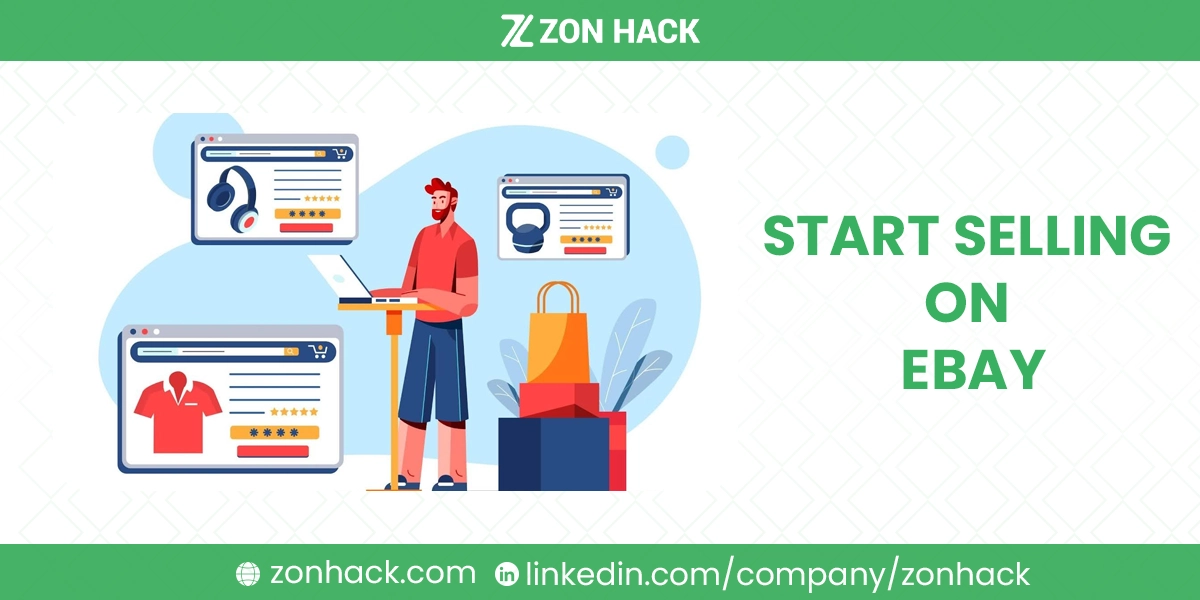
How to start selling on eBay comes down to five steps: register a personal or business account, pass eBay’s identity check, link a checking account for payouts, create your first listing, and ship it with tracking. Registration is free, and as of November 2026 most sellers get up to 250 listings a month with no insertion fee. You pay when something sells: a final value fee of 13.6% in most categories plus a small per-order fee.
That is the short version. Below I walk through what eBay asks for at each step, where I think new sellers trip up (payout holds and selling limits catch most people off guard), and what eBay’s dropshipping rule actually permits. If you would rather hand the setup and growth work to a team, our eBay consultancy service handles it.
Step 1: choose a personal or business account
There are two account types, and the decision you make here follows the account for as long as you keep it, so it pays to spend ten minutes on it rather than clicking whatever the sign-up screen suggests first. A personal account is for individuals clearing out items or testing the waters. A business account is for registered businesses, and it asks for more detail about who owns and controls the company.
The choice matters more than it looks, in my view. According to eBay’s own export help page, once you upgrade a personal account to a business account, you cannot switch it back. Don’t do it on a whim. Decide once.
My rule of thumb: if you have a registered company, an EIN and a business bank account, open a business account from day one. If you are a sole trader selling things you already own, start personal. You can upgrade later from My eBay under Account settings, then Personal information, then the Edit link beside Account type.
| Personal account | Business account | |
|---|---|---|
| Who it suits | Individuals, casual and part-time sellers | Registered businesses and sole proprietors trading as a business |
| Tax ID eBay asks for | Social Security Number | Employer Identification Number |
| Extra details | Date of birth, home address | Legal name, DBA, beneficial owners, directors and officers |
| Payout account | Personal checking account | Business checking account |
| Switch back later? | Can upgrade to business | Cannot revert to personal |
Step 2: pass eBay seller verification
Verification is, I think, the step where first-time setups stall most. eBay’s registering as a seller page lists what it needs.
For an individual: your full name, address (PO boxes are not accepted), date of birth and Social Security Number. For a business: the legal business name matching your registration documents, any DBA name, your EIN, a physical business address, and identification details for stakeholders such as beneficial owners, directors, partners and principal officers.
eBay may also ask for a photo of a government-issued ID and sometimes a selfie. In the US, accepted IDs include a passport, driver’s license, state ID card or permanent resident card. Businesses can be asked for documents like an IRS EIN letter, a business license or articles of organization.
The detail that causes most rejections is name matching. For a personal account, the first and last name on your checking account must match your eBay account. For a business account, the business name on the checking account must match the name you registered with, and a business eBay account needs a business checking account. My advice: sort that out before you start. When you do, the process is usually quick.
Step 3: set up payouts (what used to be called managed payments)
eBay runs payments itself now. Buyers pay the marketplace, and it pays you out. Simple enough. Older guides call this “managed payments”; the help pages today simply describe it as getting paid.
Per eBay’s getting paid page, as of November 2026:
- Payouts go to a checking account or a Visa or Mastercard debit card. You must add a checking account. Savings accounts and PayPal cannot receive payouts.
- After a buyer pays, funds show as Processing and usually become available within 48 hours, unless a hold applies.
- Scheduled payouts can be daily, weekly, every two weeks or monthly. Daily is the default.
- Bank payouts can take up to 2 business days to clear. Express payouts usually arrive within 30 minutes for a flat $2.00 fee.
One change is rolling out right now. It matters. Starting November 4, 2026, eBay is gradually introducing “eBay balance” for eligible US private sellers and sole proprietors. If it is switched on for your account, payouts become on demand by default: your money sits in your balance until you request a payout or spend it on eBay purchases, shipping labels or promoted listings. I’d check your payout settings after the first sale. Don’t forget this one, because on demand means nothing moves until you ask for it, and a seller who assumes the old daily schedule is still running can sit for a week wondering why the bank account looks empty.
Why your first payouts may be held
New sellers often see funds held. Honestly, that is normal. eBay’s payment holds page says new private and business sellers may have funds held while they build a track record.
Tracking shortens the wait. A lot. For tracked items, funds typically become available 24 hours after delivery is confirmed. Brand-new private sellers using eBay labels wait 2 days after delivery confirmation. Ship untracked and some sellers wait until 31 days after the buyer pays. The holds ease once you reach at least 10 completed sales totalling $150 or more, with no more than 2 open issues in 12 months.
In my view, the cheapest fix for slow early cash flow is simple: use tracked shipping on every order until those thresholds are behind you.
Step 4: understand eBay fees before you price anything
Fees are where I think beginners lose the most margin without noticing. It adds up. Here is the structure from eBay’s selling fees page, as of November 2026.
| Fee | Amount (most categories) | When you pay it |
|---|---|---|
| Insertion fee | First 250 listings a month free, then $0.35 per listing | When you list; not refunded if the item does not sell |
| Final value fee | 13.6% of the total sale up to $7,500, then 2.35% above that | When the item sells |
| Per-order fee | $0.30 on orders of $10 or less, $0.40 above $10 | Per order |
| Below Standard surcharge | Extra 6% on final value fees (7% after four months in a row) | Only if your seller level drops |
The trap, in practice, is the base. eBay calculates the final value fee on the total amount of the sale, which includes the item price, shipping you charge the buyer, handling and sales tax. So a $20 item with $5 shipping is charged on more than $20.
Here is a worked example I find useful. You sell a used video game for $20 plus $5 shipping, and the buyer pays $1.75 sales tax, so the total is $26.75. The final value fee is 13.6% of $26.75, about $3.64, plus the $0.40 per-order fee. That is roughly $4.04 in eBay fees before your postage and packaging. Some categories use different rates, so check the fee table for yours.
I’d treat the Below Standard surcharge as the fee to fear most. It only applies if your account falls below eBay’s performance standards, but it stacks on top of every sale for the following month. Shipping on time and answering buyers quickly is what keeps you clear.
Step 5: list your first item
I’d pick something small, sturdy and familiar for your first listing. A book, a video game or a piece of clothing works well. You learn the listing, fee and shipping flow without the stress of a fragile or valuable item.
eBay gives you three ways to list, according to its creating a listing page: the quick listing tool (a guided flow for casual sellers), the advanced listing tool in Seller Hub, and scan to list, which fills in details from a barcode. Read eBay’s prohibited and restricted items policy before you list; eBay notes that most removals trace back to it or to the general seller rules.
Title, photos and item specifics
eBay’s Seller Center gives you 80 characters for a title and tells you to use as many as you can. Lead with brand, model or type, then colour, size and model number. Skip the filler words like “wow” or “look”.
Photos: you can add up to 24 pictures. Images need to be at least 500 x 500 pixels, and eBay recommends about 1600 x 1600. No logos, badges or watermarks. If the item is used, you cannot use a catalogue or stock photo; shoot your own, flaws included.
Item specifics (brand, size, material, and GTIN or MPN for branded new goods) help your listing show up when buyers filter search results. Fill in every field that applies. Don’t skip this. In my view it is the quickest visibility win available to a beginner.
Price it from sold data, not hope
When you set a price, start from what similar items actually sold for. Not asking prices. eBay points sellers to the Product Research tool in Seller Hub or the eBay app. We wrote a walkthrough of eBay’s free product research tool if you want to see what it shows.
Then pick a format. Two options. eBay suggests auctions for rare, limited edition or high-demand items, and Buy It Now (fixed price) for everyday goods or anything with variations like size. For a first sale I’d use Buy It Now at a price close to recent sold listings. Auctions with a low start price can go wrong when only one bidder shows up.
Step 6: ship it and upload tracking
Once it sells, ship within the handling time you set in the listing. If you buy an eBay shipping label, tracking uploads automatically, per eBay’s tracking help page. If a buyer opens an item not received request before you have uploaded tracking, you get 3 business days to upload it and respond.
Some individual sellers are being offered “Ship with eBay”, a prepaid label program. eBay says it is currently available for a limited number of sellers and covers Buy It Now items up to $500 in selected categories (auctions are excluded). A useful perk: late deliveries do not count against your seller metrics if the carrier scans the parcel within your stated handling time.
In my view, good packaging and honest condition notes do more for your feedback than anything else. One bad experience early on stings, because new accounts have little feedback to absorb it.
Selling limits for new sellers
Expect limits. Everyone gets them. Plan for it. eBay’s selling limits page explains that limits are designed to help sellers grow “in a manageable way”. If you are new to a category, eBay may limit how much you can sell there.
You can see your current limit in Seller Hub, under the Overview tab, in the Monthly limits section. Active and sold listings count toward it, including Good ‘Til Cancelled listings, and eBay may end listings above your limit. eBay reviews accounts monthly. You can also use the “Request a limit increase” option; eBay may ask for contact or business details.
My advice is not to fight the limit early. Sell well inside it for a couple of months, keep feedback clean, and the increases tend to follow the account’s track record.
How to start dropshipping on eBay (and what is banned)
This is where beginners get suspended. Read it twice. eBay’s drop shipping policy is short. Dropshipping where you fulfil orders directly from a wholesale supplier is allowed. Listing an item and then buying it from another retailer or marketplace that ships directly to your customer is not allowed.
Frankly, the popular “list it on eBay, buy it on Amazon or Walmart” model breaks the rules. Full stop. eBay can remove listings, issue warnings, restrict activity or suspend the account. And even with a legitimate wholesale supplier, you stay responsible for delivery within your stated time frame and for the buyer’s satisfaction.
When you want to dropship, my suggestion is to find a wholesale supplier with reliable stock and tracked shipping first, then list. We cover the model in detail, including the risks, in what is eBay dropshipping.
After the first sale: what to work on next
Once you have a few sales and payouts flowing, I’d work on three things in this order.
Conversion first. Always. Many listings get views but not sales because of weak photos, thin item specifics or prices above the sold range. Our guide to a good sales conversion rate on eBay explains how to judge yours.
Then visibility, which costs money. Promoted listings are eBay’s ad product; read how eBay PPC campaigns work before spending, because the fee is charged on top of the final value fee.
Then operations. If you start selling the same stock on eBay and another channel, you will need a way to keep quantities in sync. My take: that is a problem for later, not week one.
If you want help setting up the account, fixing verification problems or growing an existing store, our eBay consultancy team works on exactly that. You can also book a free call.
FAQ
Is it free to start selling on eBay?
Opening a seller account costs nothing. As of November 2026 you get up to 250 zero insertion fee listings each month; beyond that, listings cost $0.35 each. The main cost arrives when an item sells: a 13.6% final value fee in most categories plus $0.30 or $0.40 per order.
Do I need a business account to sell on eBay?
No. A personal account works for individuals. Choose business if you have a registered company, an EIN and a business checking account. Remember that a business account cannot be turned back into a personal one.
What do I need for eBay seller account setup?
For a personal account: full legal name, a street address (no PO box), date of birth, your SSN and a checking account in the same name. Business sellers need an EIN, legal business name, physical address, owner and officer details, and a business checking account. eBay may also request a photo ID and a selfie.
Why is my eBay money on hold?
eBay holds funds for new sellers while they build a track record. Upload tracking on every order to speed release; funds usually free up 24 hours after delivery confirmation. Holds relax after 10 completed sales totalling at least $150 with few open issues.
How long does it take to get paid on eBay?
Funds normally become available within 48 hours of payment, then follow your payout schedule. A standard bank transfer can take up to 2 business days, while an express payout lands in about 30 minutes for $2.00.
Can I dropship from Amazon to eBay?
No. eBay’s policy bans buying an item from another retailer or marketplace and having it shipped straight to your eBay buyer. Dropshipping is only allowed when a wholesale supplier fulfils the order.
How many items can a new eBay seller list?
eBay does not publish a single starter number. Your current monthly limit appears in Seller Hub under Overview, and eBay reviews it monthly based on sales and buyer feedback. You can request an increase from the same section.
Last updated: November 24, 2026. eBay fees, payout options and limits change; check eBay’s help pages before you rely on a figure.